Uncompressed Asset
An Uncompressed Asset issue is created when a large JavaScript, CSS, or JSON file is sent to the browser without compression and takes a noticeable amount of time to load.
Text files compress very well. A script or stylesheet often shrinks to a fraction of its size with gzip or Brotli, and browsers decompress it automatically and almost instantly. When compression is missing, users download much more than they need to. The cost is highest for people on slower or mobile connections, and it directly delays the moment your page becomes usable.
This issue is found in RUM, because it is about what real browsers receive.
How Middleware detects it#
Middleware looks at the scripts and stylesheets that browsers loaded from your site and flags a file when it is large, was sent without compression, and took a noticeable amount of time to load.
What you'll see in Middleware#
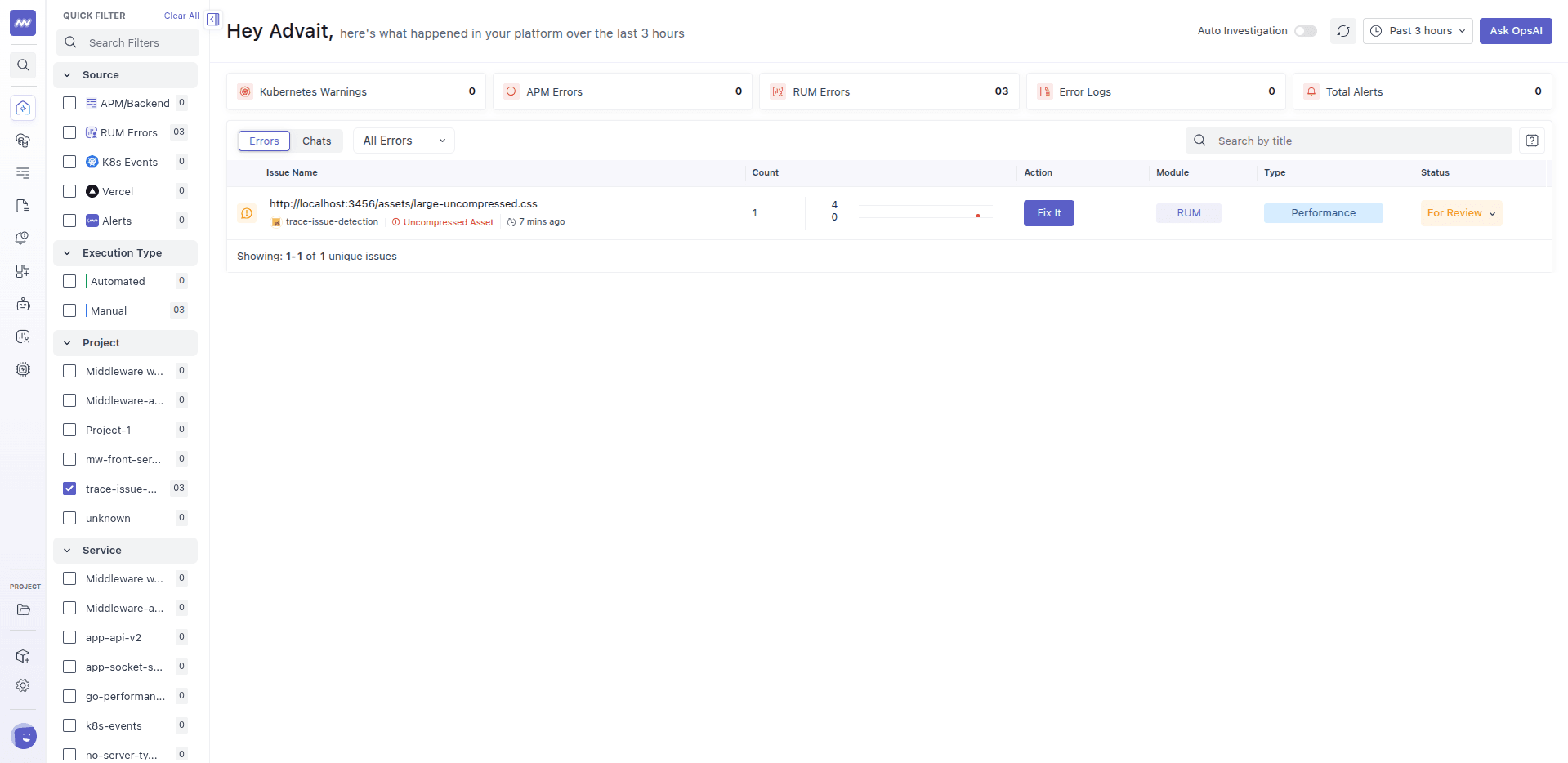
The title is the URL of the asset. Open the issue to see the file's size, how long it took to load, and how many page loads were affected.
Common causes#
- Compression is turned off on the web server, load balancer, or CDN.
- Compression is enabled, but not for this file type, for example it covers HTML but not
.jsor.json. - The file is served from a different place than the rest of your site, such as a storage bucket or a separate asset host, that doesn't compress.
- A proxy in the middle strips the compression before the response reaches the browser.
- The file is unusually large because it hasn't been minified, or bundles more than the page needs.
How to fix it#
- Turn on compression for text-based files on your web server, reverse proxy, or CDN. Brotli usually compresses better than gzip, and most CDNs support both.
- Make sure your file types are included. Check that
JavaScript,CSS, andJSONare on the list of types your server compresses. - Check every place that serves assets. If assets come from a storage bucket or separate host, enable compression there too.
- Look at what's in the middle. If compression works when you request the origin directly but not through your CDN or proxy, check their settings.
- Reduce the file itself. Minify your code and remove what the page doesn't use. Smaller files help even with compression on.
You can check whether a file is compressed in your browser's developer tools. In the Network tab, compare the transferred size of the file with its full size.
Example#
A single-page app ships one large JavaScript bundle. The web server compresses HTML, but the configuration doesn't list JavaScript as a compressible type, so the bundle is sent as plain text. Every first-time visitor downloads the full file, and on a mobile connection the page takes several seconds longer to become usable than it should.
After adding JavaScript and CSS to the server's compressed types, the same bundle arrives at a fraction of its size. The Uncompressed Asset issue stops receiving new occurrences.
Related issues#
- Large Render Blocking Asset: a large file that stops the page from showing content.
- Large HTTP Payload: oversized responses from your APIs.
Need assistance or want to learn more about Middleware? Get in touch with us via our Contact Us or join our Slack channel.