Backend Control
Backend Control lets you drop or filter telemetry after collection but before storage. In practice, it is your last decision point before data is indexed and billed. It is designed to reduce noise, control cost, and keep only high-value observability data.
Backend Control is available for three signal types, each configured independently:
- Logs
- Traces
- RUM (Real User Monitoring)
Where Backend Control runs in the pipeline#
Telemetry flows through the pipeline in this order:
Agent → Ingestion → Backend Control → Storage & Search
Each event is evaluated against your rule expression. If the expression matches, that event is dropped permanently (not stored, not searchable).
You can access it from:
Settings → Pipeline → Backend Control → Logs / Traces / RUM
How Rules are Built#
The rule builder uses condition rows with live expression preview. This gives you readable UI controls and exact execution logic at the same time.
| Rule element | What it means |
|---|---|
| Attribute | Field to evaluate (for example severity, serviceName, namespace, host) |
| Operator | Comparison method (=, !=, IN, LIKE, ILIKE) |
| Value(s) | One or more values (chips) |
| AND / OR | Combine multiple conditions |
The preview expression is the source of truth for runtime behaviour.
Logs Backend Control#
Use this when you want to drop logs by severity, service, cluster/namespace, or log body patterns.
A typical flow:
- Open Backend Control → Logs
- Create a rule (name + optional tags)
- Add conditions with AND/OR logic
- Validate the generated preview expression
- Save configuration
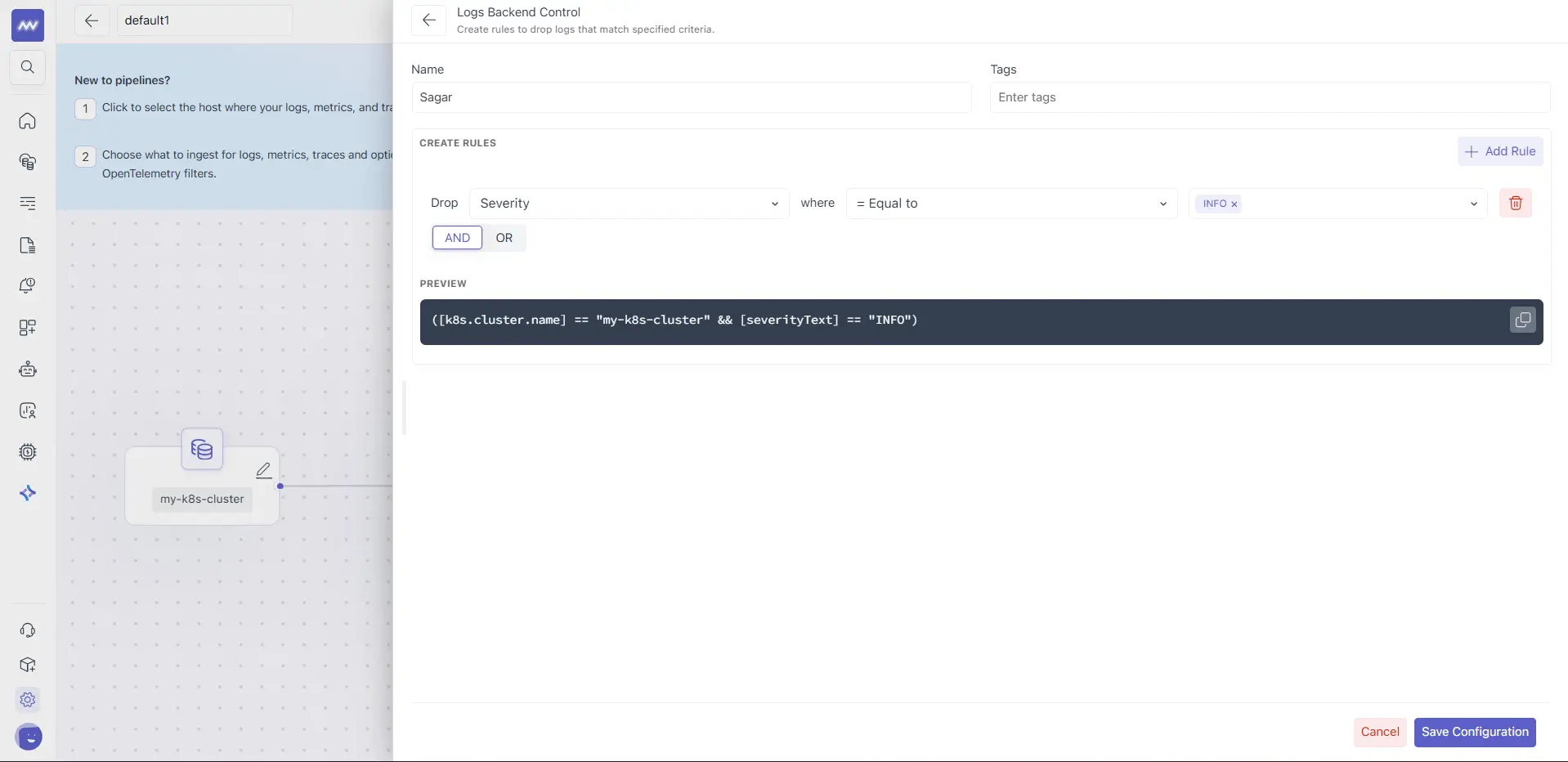
Example intent:
- Drop INFO logs from specific environments
- Drop namespace-level noise
- Drop health-check log bodies
The Logs screen supports rule builder + preview expression so you can verify logic before saving.
Traces Backend Control#
Traces Backend Control works the same way as logs, but on trace attributes.
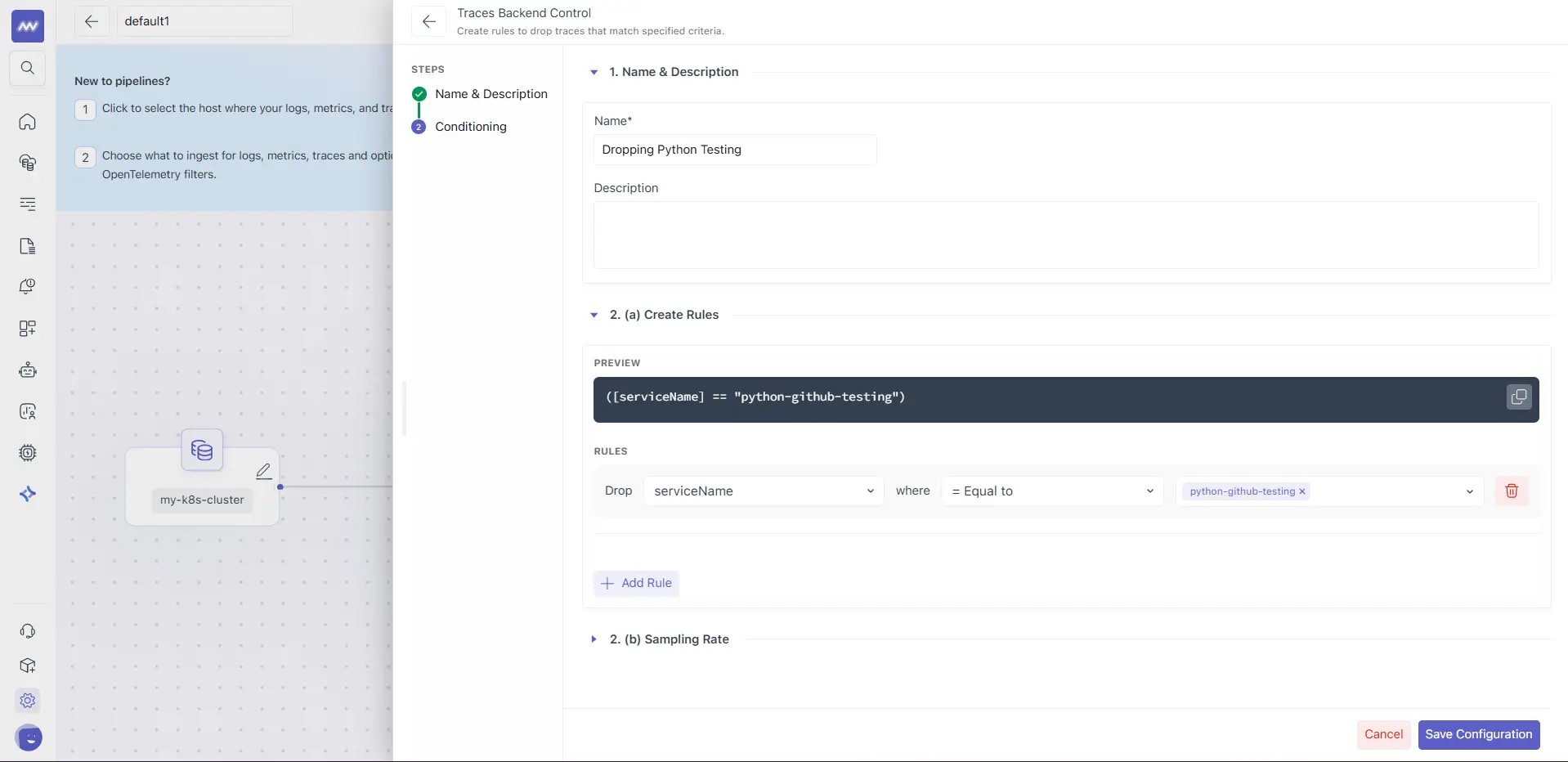
You can drop traces by:
- Service name
- Environment (prod/staging/dev)
- Path or route patterns (for example health endpoints)
- Span attributes or other OpenTelemetry trace fields
This is useful for removing low-value spans and non-actionable service traffic before storage.
RUM Backend Control#
RUM Backend Control lets you drop browser/frontend events before they are stored.
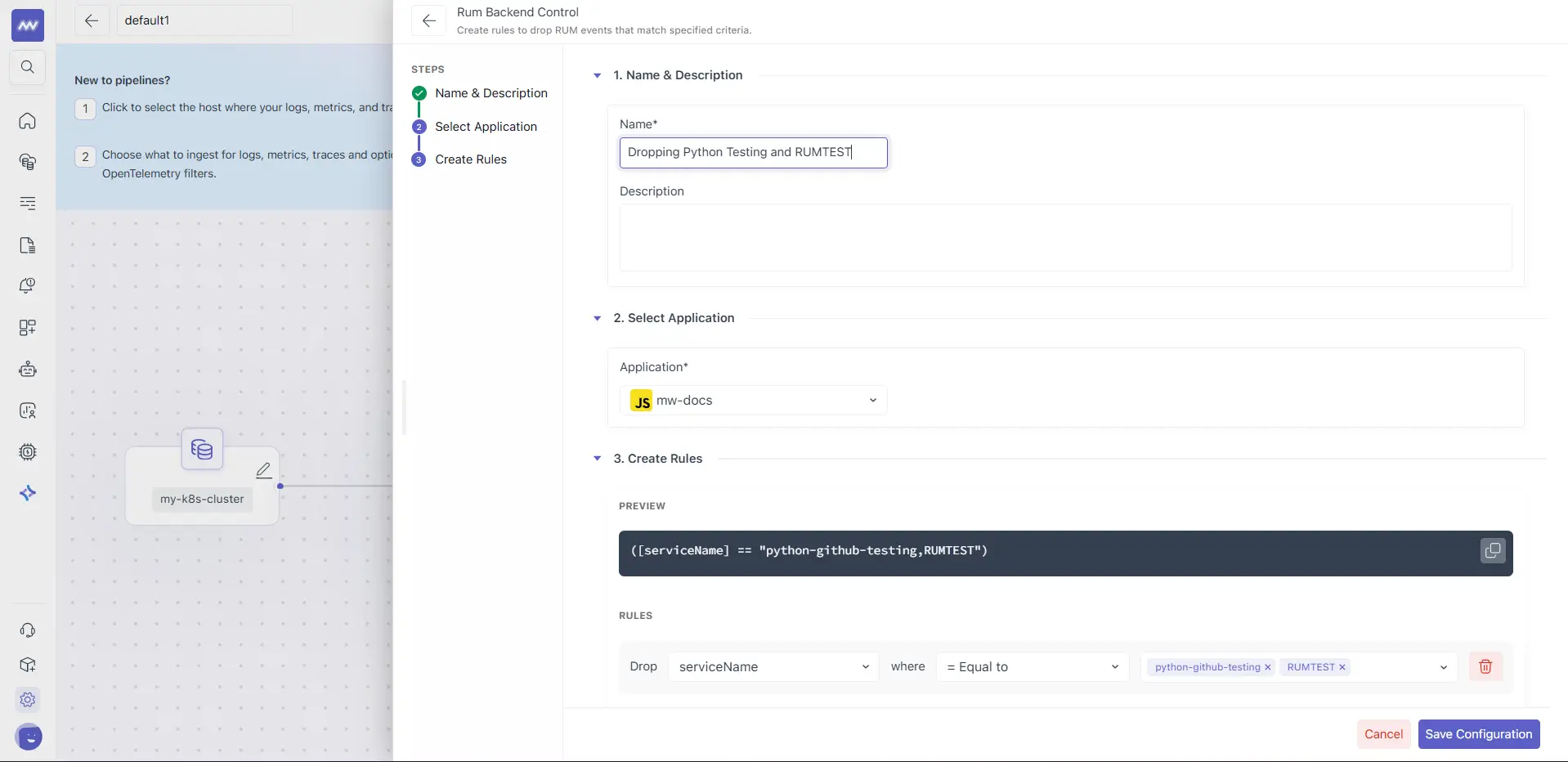
Common filters:
- Page URL
- Environment
- User attributes
- Browser, country, device
- Custom RUM attributes
Typical use cases include excluding admin/internal pages, staging traffic, and bot sessions.
Rule Evaluation Behaviour#
For every log, trace, or RUM event:
- Backend evaluates the preview expression
- If expression is true → drop event
- If expression is false → store and index event
There is no partial match mode. It is strict boolean evaluation.
Important syntax notes:
=is case-sensitiveILIKEis case-insensitive%is used as wildcard inLIKE/ILIKEpatterns (example:"/health%")- Referenced attributes must exist in payload for conditions to work as expected
Backend Control vs Ingestion Control#
Use Backend Control when you are making volume and retention decisions. Use Ingestion Control when you are handling collection/parsing behaviour.
| Use case | Recommended layer |
|---|---|
| Reduce cost by filtering noise | Backend Control |
| Drop whole services, environments, severities | Backend Control |
| Exclude logs from specific paths/pods | Ingestion Control |
| Parse/transform incoming logs | Ingestion Control |
| Mask sensitive data during collection | Ingestion Control |
This separation helps teams keep source-level processing and storage-level filtering cleanly defined.
For creating pipeline, user needs to add one or more than one processor. User can also add same processor multiple times.