N+1 DB Query
An N+1 DB Query issue is created when your code runs one query to fetch a list of things, and then runs one more query for each item in that list. If the list has 50 items, that's 51 queries. If it has 500, that's 501.
Each of those extra queries is usually fast on its own, which is why this problem is easy to miss. The cost is in the round trips. Every query has to travel to the database, wait its turn, and come back, and that overhead is paid again for every item. The request gets slower as your data grows, and the database is asked to do far more work than the page needs.
This pattern is especially common with ORMs such as Django, Rails, Hibernate, and Sequelize. They make it easy to read related data with a single line of code, and they hide the fact that each of those lines runs a query.
This issue is found in APM.
How Middleware detects it#
Middleware looks at all the database calls made within a single request. It flags a request when the same query, differing only in the value it looks up, runs many times and the repeated queries add up to a noticeable amount of time.
A few repeated queries that take almost no time are not reported. The issue is created only when the total cost is worth your attention.
If you expected an N+1 issue and don't see one, the repeated queries may be spread across different operations, or may not add up to enough time to matter.
What you'll see in Middleware#
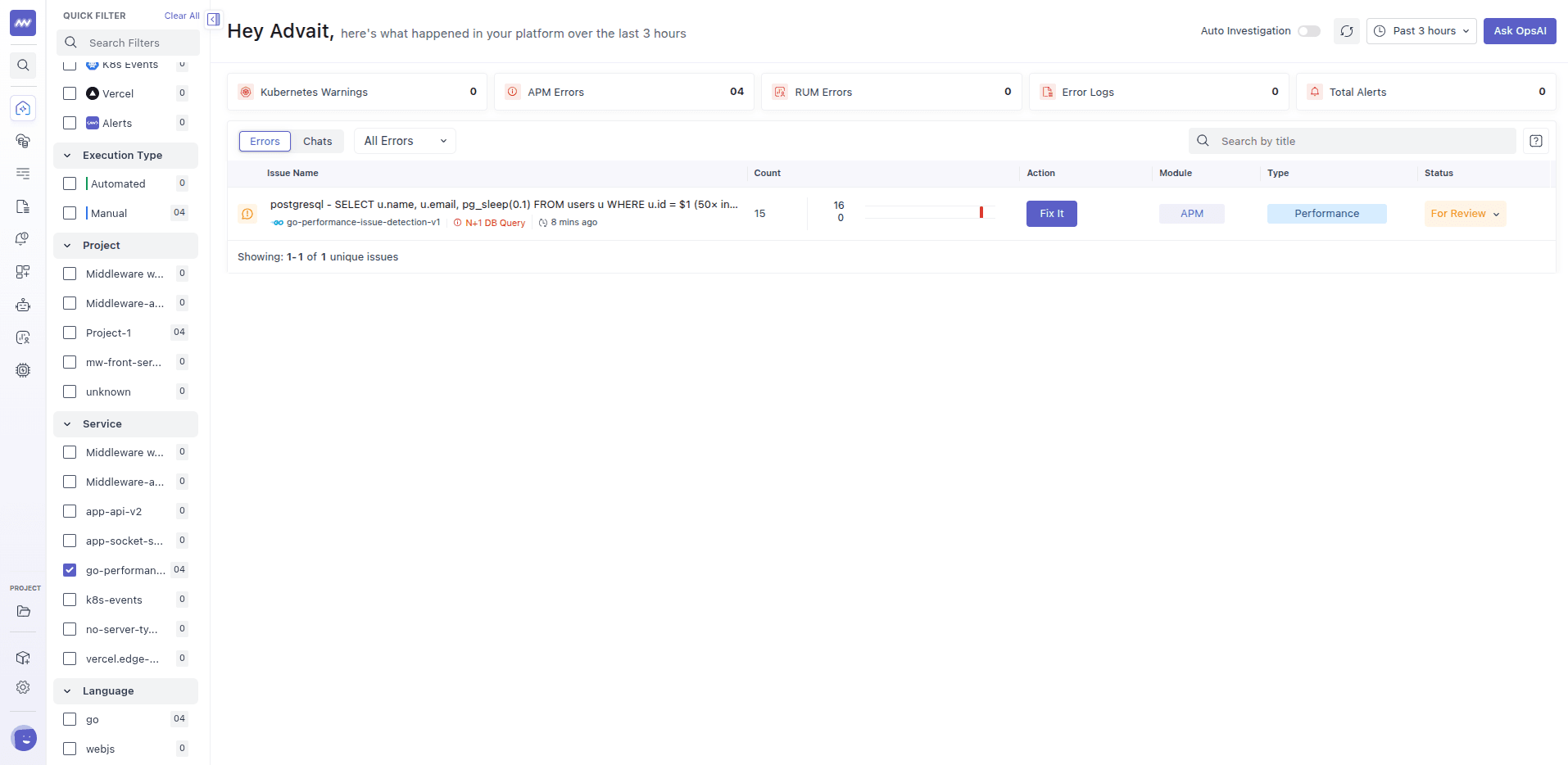
The title shows the database, the repeated query, and how many times it ran, for example 50×. Open the issue to see the full query, the operation that triggered it, and an estimate of how much time the repeated queries added. Suggested actions describes how to combine them.
Common causes#
- Loading related data inside a loop. For each order, look up its customer. For each post, look up its author.
- Lazy loading in an ORM. The related data is only fetched when the code first touches it, so it's fetched one item at a time.
- Serializers and templates. A view that looks like it only formats data can secretly query for each row it renders.
- Creating or updating rows one by one. Saving records inside a loop instead of in a single batch.
How to fix it#
The fix is to ask the database for everything at once instead of one item at a time. Which approach fits depends on how your code is written:
- Fetch related data together. Most ORMs let you say up front which related data you need, so it's loaded with the main query or in a single follow-up query. Look for features often called eager loading, prefetching, or joins.
- Batch the lookups. Collect all the ids first, then run one query that fetches all of them.
- Write in bulk. For inserts and updates, use your database's or ORM's bulk operations instead of saving one row at a time.
- Only load what you use. If a loop needs one field from a related table, select that field rather than the whole record.
After the change, the same page should run a small, fixed number of queries no matter how many items it shows.
Example#
An orders page shows the latest 50 orders and the name of each customer. The code loads the 50 orders with one query, then for every order it asks for the customer. That's 51 queries for one page. It's quick with 5 test orders, but with 50 orders per page and many people opening it, the database spends most of its time answering the same small question.
Changing the code to load the orders together with their customers turns 51 queries into 1 or 2. The page loads faster, the database has less to do, and the N+1 issue stops receiving new occurrences.
Related issues#
- Consecutive DB Queries: different queries that run one after another instead of together.
- Slow DB Query: a single query that is slow on its own.
- N+1 API Calls: the same pattern, applied to HTTP calls instead of queries.
Need assistance or want to learn more about Middleware? Get in touch with us via our Contact Us or join our Slack channel.