Log Patterns
Log Patterns group logs that share a similar message structure, so you can spot recurring behavior without reading every log line. Patterns are built from log samples over time and organized by service. Search and filters narrow the Patterns view to a specific set of logs.
Log Patterns are useful when you are investigating repeated errors, finding noisy messages, or comparing the variations of a recurring event.
View log patterns#
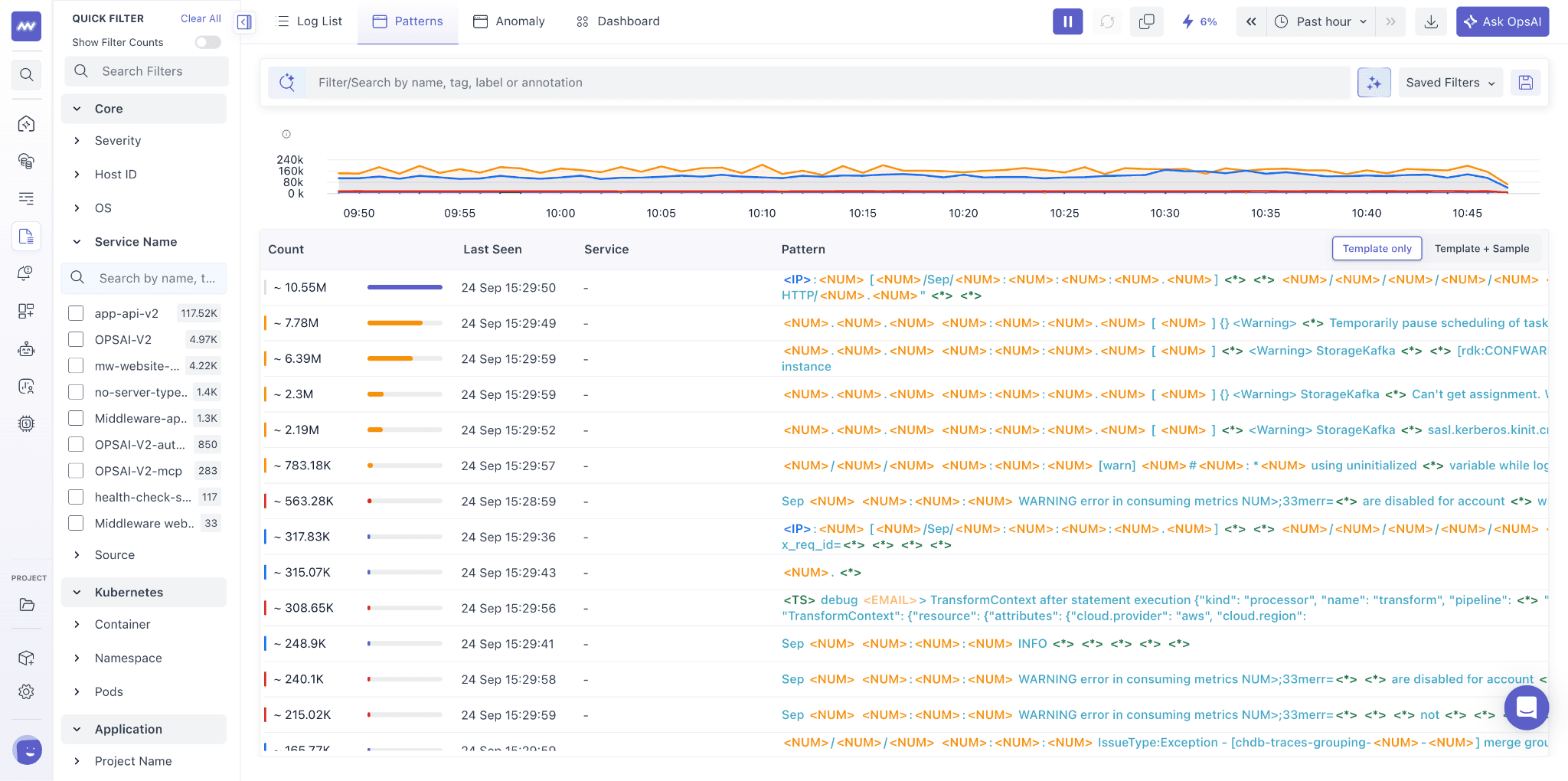
To view detected patterns, go to Log Monitoring → Patterns.
Middleware groups logs with similar log bodies into patterns. A pattern shows how often a message type occurs and which services produce it, so you do not have to open every matching log.
Each pattern shows:
- Count: Number of logs that match the pattern.
- Last occurrence: Most recent time the pattern was seen.
- Service: Service associated with the logs in the pattern.
View top values#
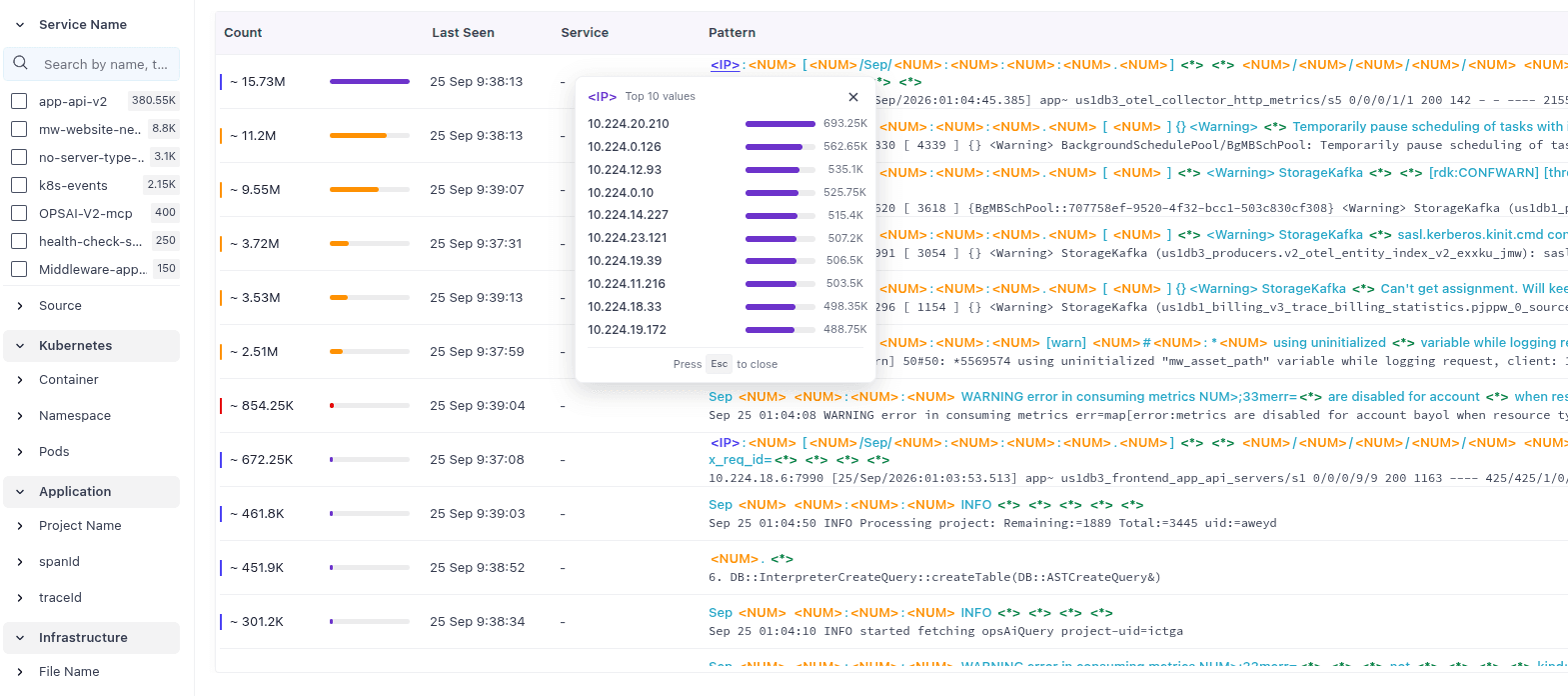
Hover over a pattern to see its most frequent values. This is a quick way to understand the common values tied to a pattern without opening individual logs.
Pattern details#
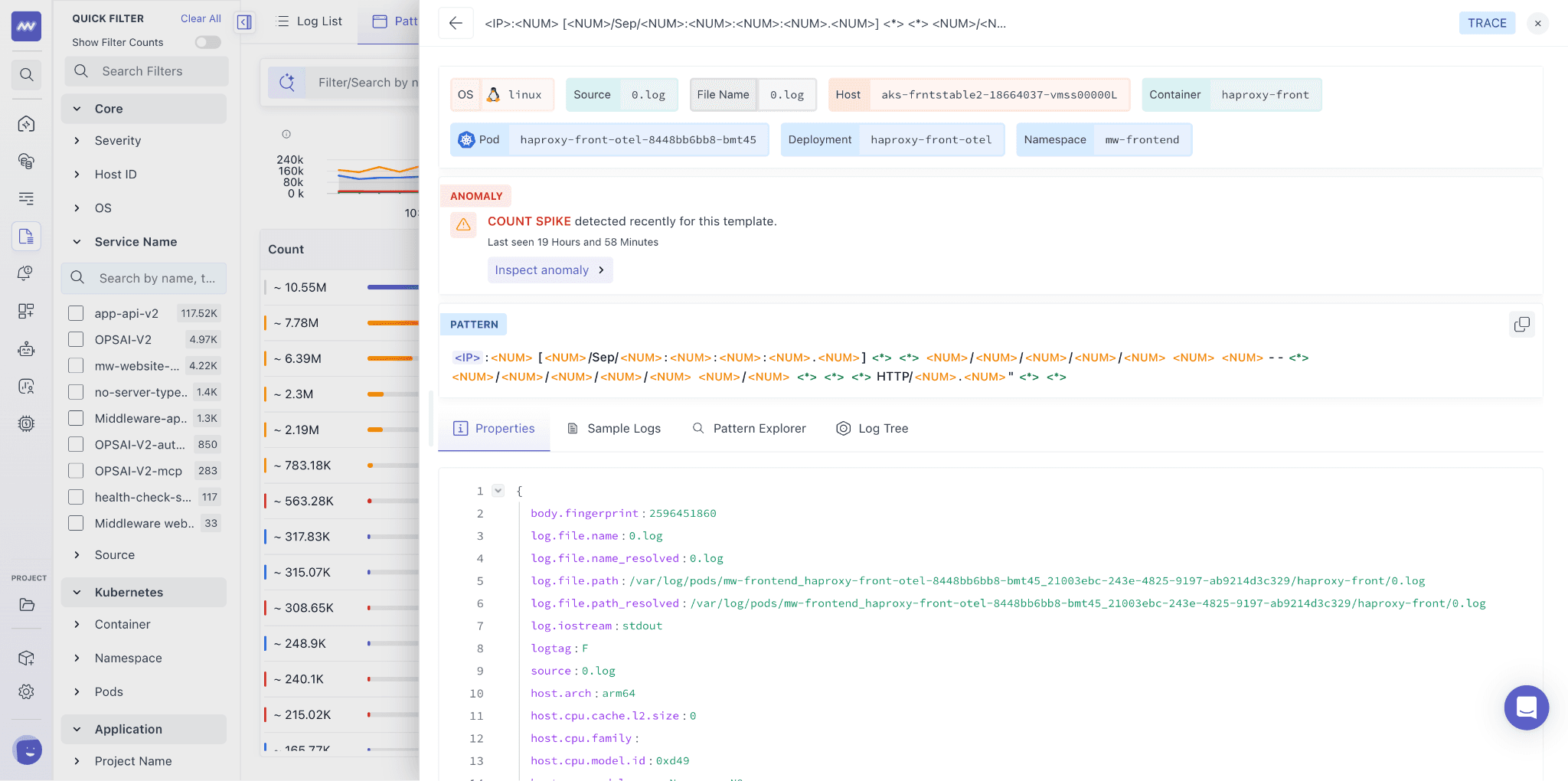
Select a pattern in the list to open its side panel. From the panel you can:
- View the attributes and properties associated with the pattern.
- View anomalies detected for the pattern.
- Inspect sample logs that match the pattern.
Pattern Explorer#
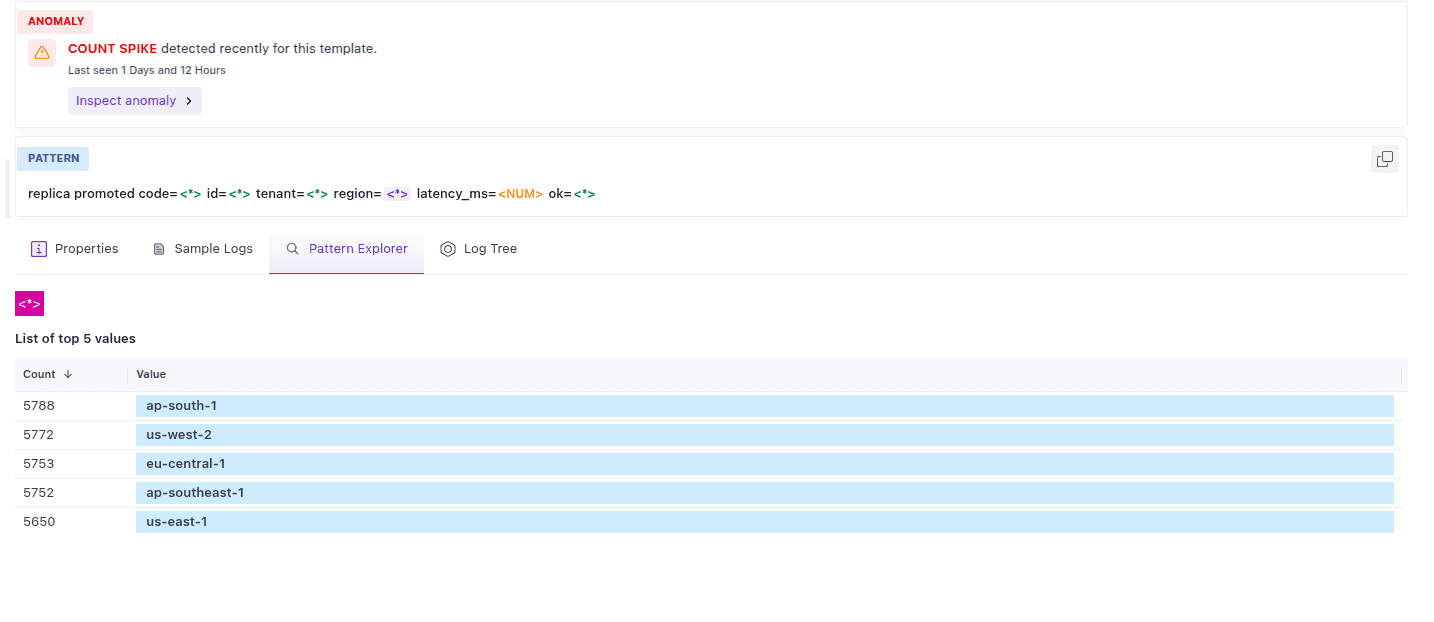
The Pattern Explorer shows how values are distributed inside a log pattern. It lists the top values for the pattern and how often each one occurs, which helps you see which dimensions show up most often in a recurring event.
For example, if the same error appears across several data centers, the explorer shows whether most occurrences come from one data center or region.
To inspect a pattern:
- Go to Log Monitoring → Patterns.
- Select the pattern you want to investigate.
- Open the Pattern Explorer.
- Review the top values and their occurrence counts.
- Use those values to find attributes that are common across logs that match the pattern.
Log Tree#
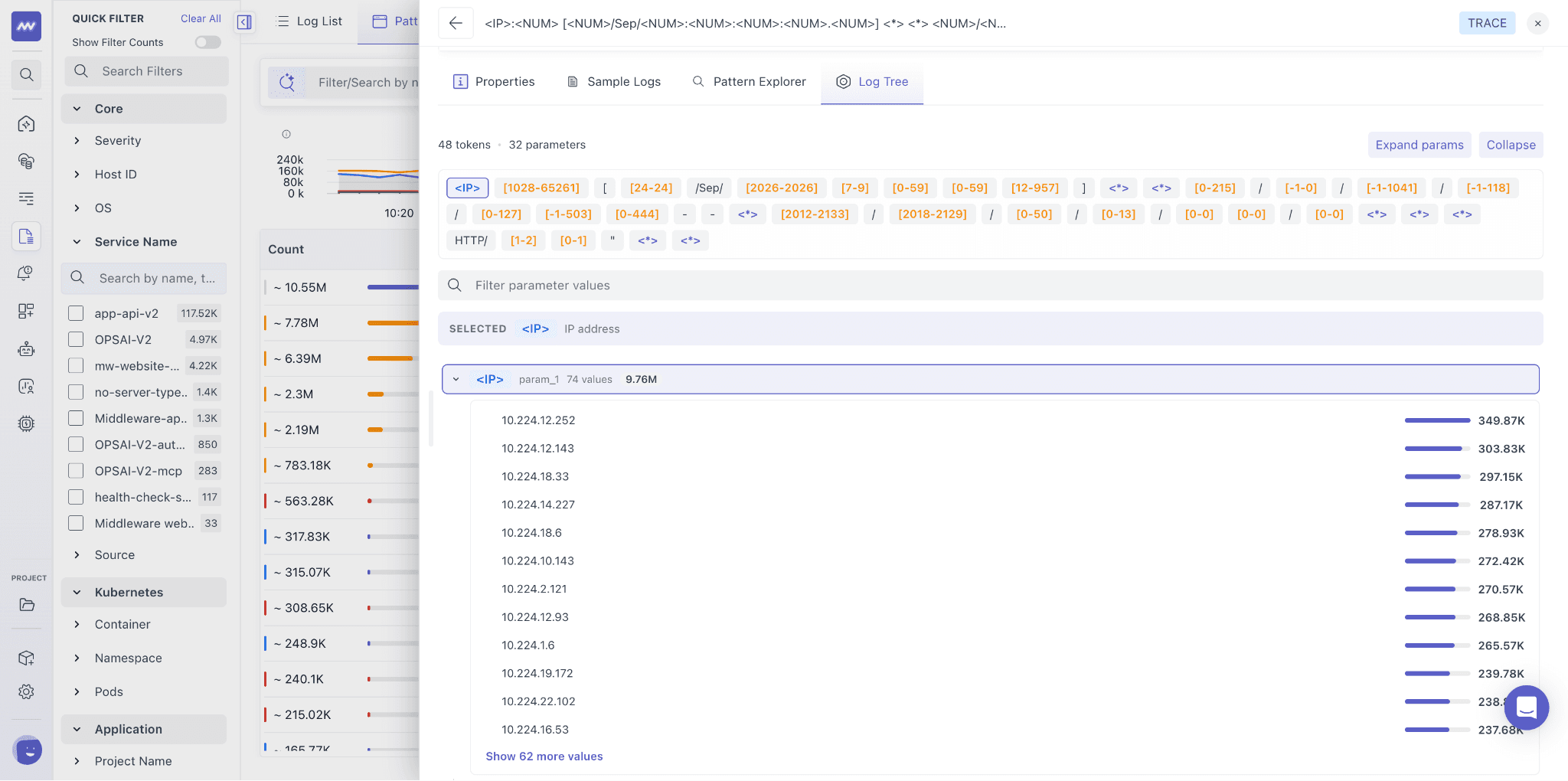
The Log Tree is a hierarchical view of the parameters and values in a log pattern. Expand a parameter to see its values and how many times each value occurs. Nested parameters can be expanded further to see how their values are distributed.
1region
2├── us-east-1    1,240
3├── us-west-2      430
4└── eu-west-1       85
The Log Tree helps you:
- Understand the structure of the logs represented by the pattern.
- Identify the most common values for a parameter.
- Find values that occur rarely or differ from the majority.
Next Steps#
Need assistance or want to learn more about Middleware? Get in touch with us via our Contact Us or join our Slack channel.