Track sessions & users
To analyze a conversation end to end — or to attribute traffic and cost to a specific user — tag every span in a turn with a session ID and user ID. The SDK re-exports OpenInference context managers that add this context to any span created inside them.
What you’ll need#
1pip install middleware-llmobs openinference-instrumentation-openai openaiExport your Middleware endpoint, key, and OPENAI_API_KEY as in Trace an LLM application.
The recipe#
1from middleware.llmobs import register, using_session, using_user, using_metadata
2import openai
3
4providers = register(service_name="chat-app", auto_instrument=True)
5tracer = providers.tracer.get_tracer(__name__)
6client = openai.OpenAI()
7
8@tracer.chain   # opens the "chat" span; the LLM call below nests under it
9def chat(message: str) -> str:
10    response = client.chat.completions.create(
11        model="gpt-4o-mini",
12        messages=[{"role": "user", "content": message}],
13    )
14    return response.choices[0].message.content
15
16def chat_turn(session_id: str, user_id: str, message: str) -> str:
17    # Every span created in this block is tagged with the session, user, and metadata.
18    with using_session(session_id=session_id), \
19         using_user(user_id=user_id), \
20         using_metadata({"channel": "web"}):
21        return chat(message)
22
23# Two turns sharing one session are grouped together in the UI.
24chat_turn("sess-abc", "user-123", "What's the weather like for hiking?")
25chat_turn("sess-abc", "user-123", "And what should I pack?")
26
27providers.tracer.force_flush()
What you get#
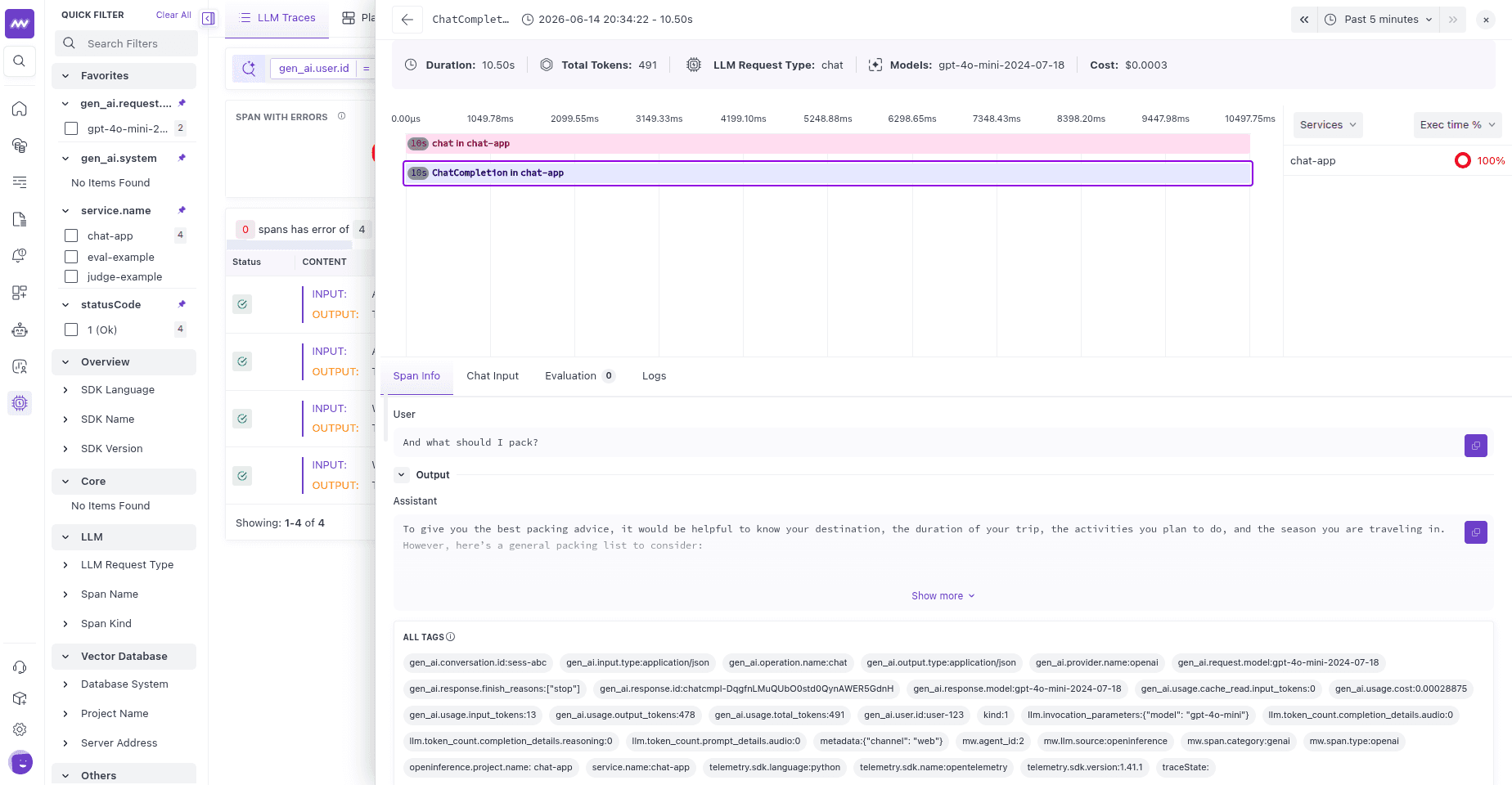
All spans from a session share a session ID, so you can open a conversation and follow every turn in order. Filtering by user ID lets you see one user’s traffic, latency, and cost across sessions.
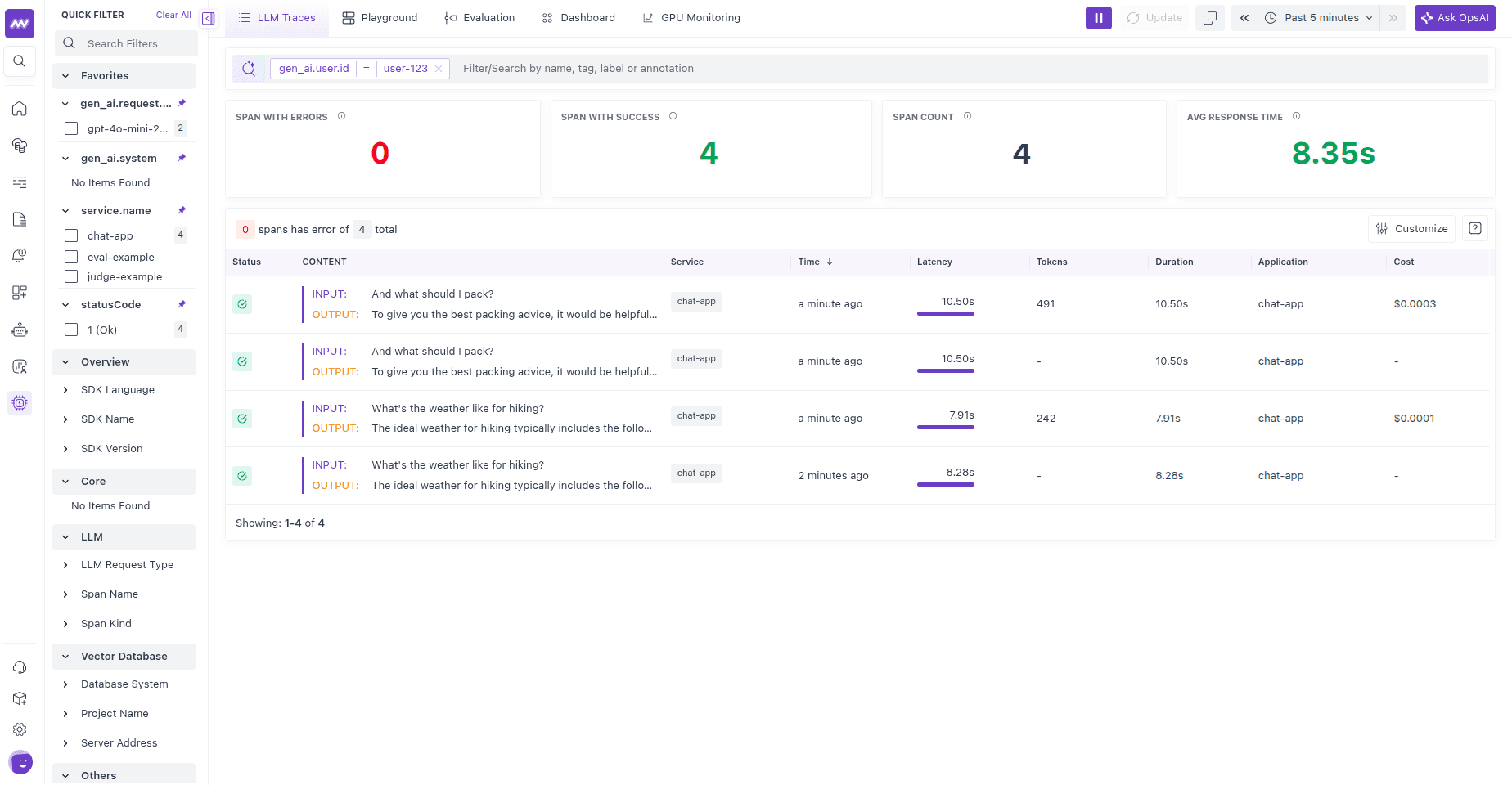
Open any turn to see its chat span and the session and user tags carried on it:
Other context managers re-exported by the SDK: using_tags, using_attributes, using_prompt_template, and suppress_tracing (to temporarily disable tracing inside a block).