OpsAI for Kubernetes
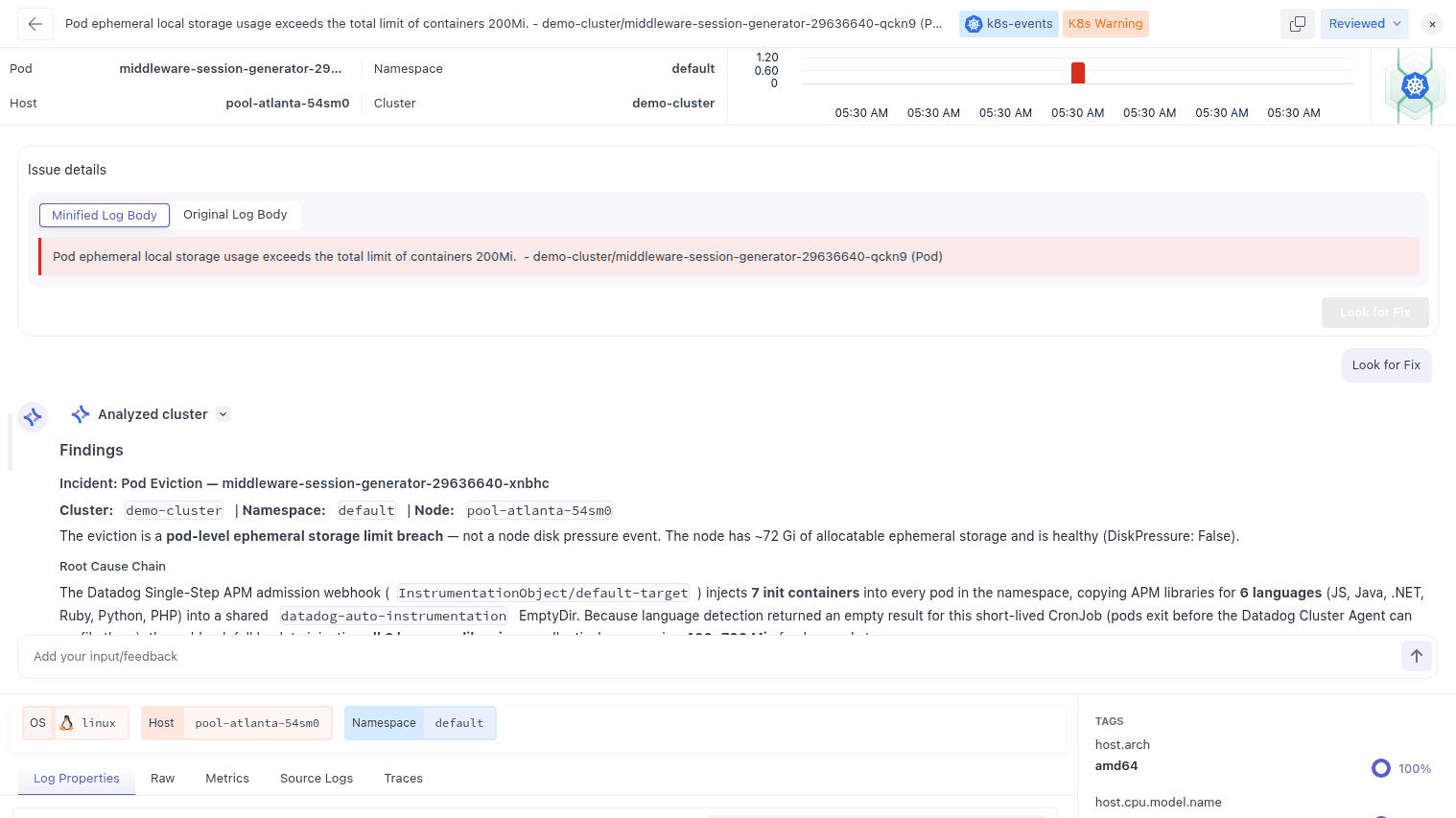
OpsAI helps your team detect production issues in Kubernetes fast, find the root cause, and either propose or apply a safe fix. It observes your services through APM, RUM and Kubernetes telemetry, correlates stack traces and error context with the right code lines, then provides a ready-to-apply fix. For Kubernetes workloads, OpsAI can skip the pull-request step and execute an Auto Fix directly when you choose to do so.
How OpsAI applies fixes in Kubernetes#
After detection and root-cause analysis, OpsAI can propose a fix you apply yourself or execute an Auto Fix that modifies the Kubernetes object directly. This removes extra review steps for infra-level faults while keeping developer control for code changes.
Install OpsAI on Kubernetes#
Replace the placeholders with your values:
global.mw.apiKey→ your Middleware API keyglobal.mw.target→ your region endpoint (for examplehttps://<your-uid>.middleware.io:443)global.clusterMetadata.name→ the name you want to see under Infrastructure
Choose one of the following installation methods:
Helm (recommended)
1# Add the Middleware Helm repo
2helm repo add middleware-labs https://helm.middleware.io
3
4# Install the agent with OpsAI and auto-instrumentation enabled
5helm install mw-agent middleware-labs/mw-kube-agent-v3 \
6  --set global.mw.apiKey=<MW_API_KEY> \
7  --set global.mw.target=<MW_TARGET_URL> \
8  --set opsai.enabled=true \
9  --set global.clusterMetadata.name=<CLUSTER_NAME> \
10  --set mw-autoinstrumentation.enabled=true \
11  -n mw-agent-ns --create-namespace
Verify:
1kubectl get daemonset/mw-kube-agent -n mw-agent-ns
2kubectl get deployment/mw-kube-agent -n mw-agent-ns
One-line shell installer
1MW_API_KEY=<MW_API_KEY> \
2MW_TARGET=<MW_TARGET_URL> \
3bash -c "$(curl -L https://install.middleware.io/scripts/mw-kube-agent-install-v3.sh)"
Update OpsAI#
Helm upgrade#
Use helm upgrade --install to roll forward while keeping your namespace and configuration:
1helm upgrade --install mw-agent middleware-labs/mw-kube-agent-v3 \
2  --set global.mw.apiKey=<MW_API_KEY> \
3  --set global.mw.target=<MW_TARGET_URL> \
4  --set opsai.enabled=true \
5  --set global.clusterMetadata.name=my-k8s-cluster \
6  -n mw-agent-ns --create-namespace
Check status:
1kubectl rollout status ds/mw-kube-agent -n mw-agent-ns
2kubectl rollout status deploy/mw-kube-agent -n mw-agent-ns
Shell install path#
The shell installer does not support in-place upgrades. Re-run the one-line installer with the new values to reinstall the agent.
Common Issues#
- No data in OpsAI: Confirm
opsai.enabled=trueand that egress toglobal.mw.targeton 443 is allowed. - Wrong cluster name: Set
global.clusterMetadata.nameto the label you want in the UI then upgrade the release. - Auth problems: Use a valid
global.mw.apiKey. Keys are case sensitive. - Agent not rolling out: Check image pulls and node tolerations, then fetch logs:
kubectl -n mw-agent-ns logs ds/mw-kube-agent -c mw-agent --tail=200
Need Help?#
Need assistance or want to learn more about Middleware? Get in touch with us via our Contact Us or join our Slack channel.