Large HTTP Payload
A Large HTTP Payload issue is created when a request returns a response that is much larger than expected and takes a noticeable amount of time to transfer.
Large responses slow things down in several places at once. The server has to build them, the network has to carry them, and the client has to receive, parse, and often render them. On a fast office network the cost may be invisible. On a mobile connection, or when many users request the same endpoint at once, it becomes a real delay.
This issue is found in APM and RUM. In APM it points to a service response that is heavy. In RUM it points to a request that your users' browsers had to wait for.
How Middleware detects it#
Middleware looks at HTTP requests and flags those where the response is very large and the request took a meaningful amount of time. Both have to be true, so a large response that arrives quickly is not reported.
This issue is about responses from your APIs and services. Large static files, such as scripts and stylesheets, are covered by other checks, such as Uncompressed Asset.
Repeated large responses from the same endpoint appear as one issue.
What you'll see in Middleware#
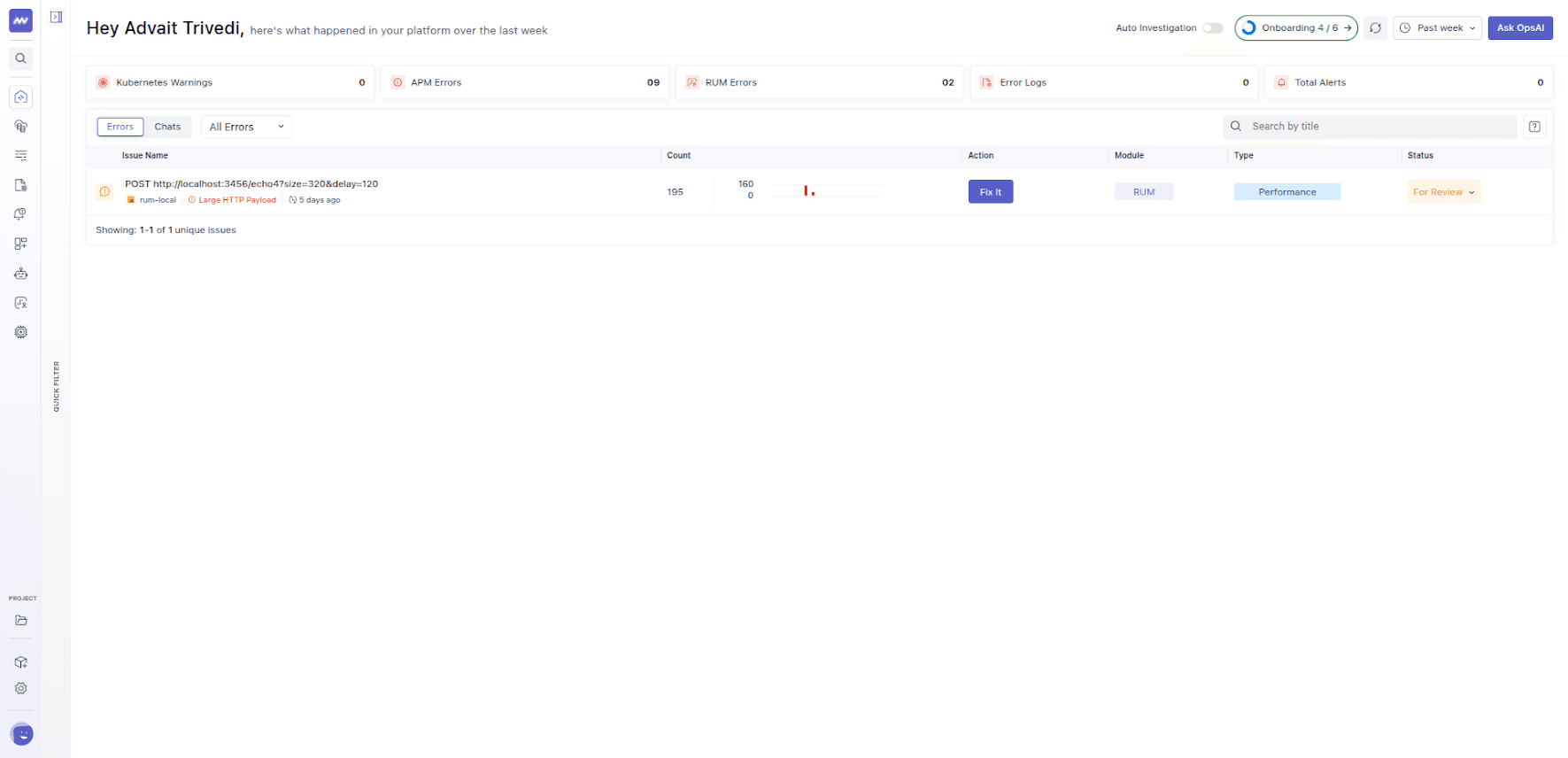
The title shows the request method and URL. Open the issue to see the size of the response, how long the request took, and how many times it has happened.
Common causes#
- Returning everything. An endpoint sends every field of a record, or every record in a table, when the caller needs a small part of it.
- No pagination. A list endpoint returns all of the results at once instead of a page at a time.
- Nested data. Responses that include related records several levels deep.
- Verbose formats. Repeated field names, extra whitespace, or unneeded metadata.
- A recent change. A new field, or a change to a serializer, quietly made every response bigger.
- No compression on the response.
How to fix it#
- Send less data. Return only the fields the caller uses. If different clients need different amounts, offer a way to choose fields or a lighter version of the endpoint.
- Paginate. Return results in pages, and let the client ask for more.
- Remove or flatten nested data. Return ids or summaries, and let the client fetch details only when needed.
- Compress responses. Turn on compression, such as gzip or Brotli, on your server or gateway. Text formats like JSON usually shrink a lot.
- Check recent changes. If the issue appeared suddenly, look at what changed in the serializer or response format around that time.
Example#
A dashboard calls an endpoint that lists a company's orders. The endpoint returns every order the company has ever placed, including all line items and customer details, and the response is several megabytes. The dashboard only shows the latest 20 orders.
After adding pagination and returning only the fields the dashboard displays, the response shrinks to a few kilobytes and loads quickly. The Large HTTP Payload issue stops receiving new occurrences.
Related issues#
- Uncompressed Asset: large files sent to the browser without compression.
- Slow DB Query: often the reason an endpoint that builds a large response is also slow.
Need assistance or want to learn more about Middleware? Get in touch with us via our Contact Us or join our Slack channel.