Slow DB Query
A Slow DB Query issue is created when a database query takes much longer to return than it should. Unlike an N+1 pattern, the problem here is not how often the query runs. A single execution of it is slow.
Slow queries are costly in two ways. The request that runs the query has to wait for it, so your users wait too. And while the database is busy working on a slow query, it has less capacity for everything else, so one slow query can quietly make other parts of your application slower.
This issue is found in APM.
How Middleware detects it#
Middleware looks at the database calls in your traces and flags SELECT queries that take an unusually long time to finish.
Middleware groups slow runs of the same query into one issue, so a query that is slow again and again shows up as a single issue with a growing count, not as a stream of separate issues. That count is a good signal: a query that is slow every time is a better target than one that was slow once because the database was busy.
Only reads are checked. Writes such as INSERT and UPDATE can be slow for different reasons and are not reported as Slow DB Query issues.
What you'll see in Middleware#
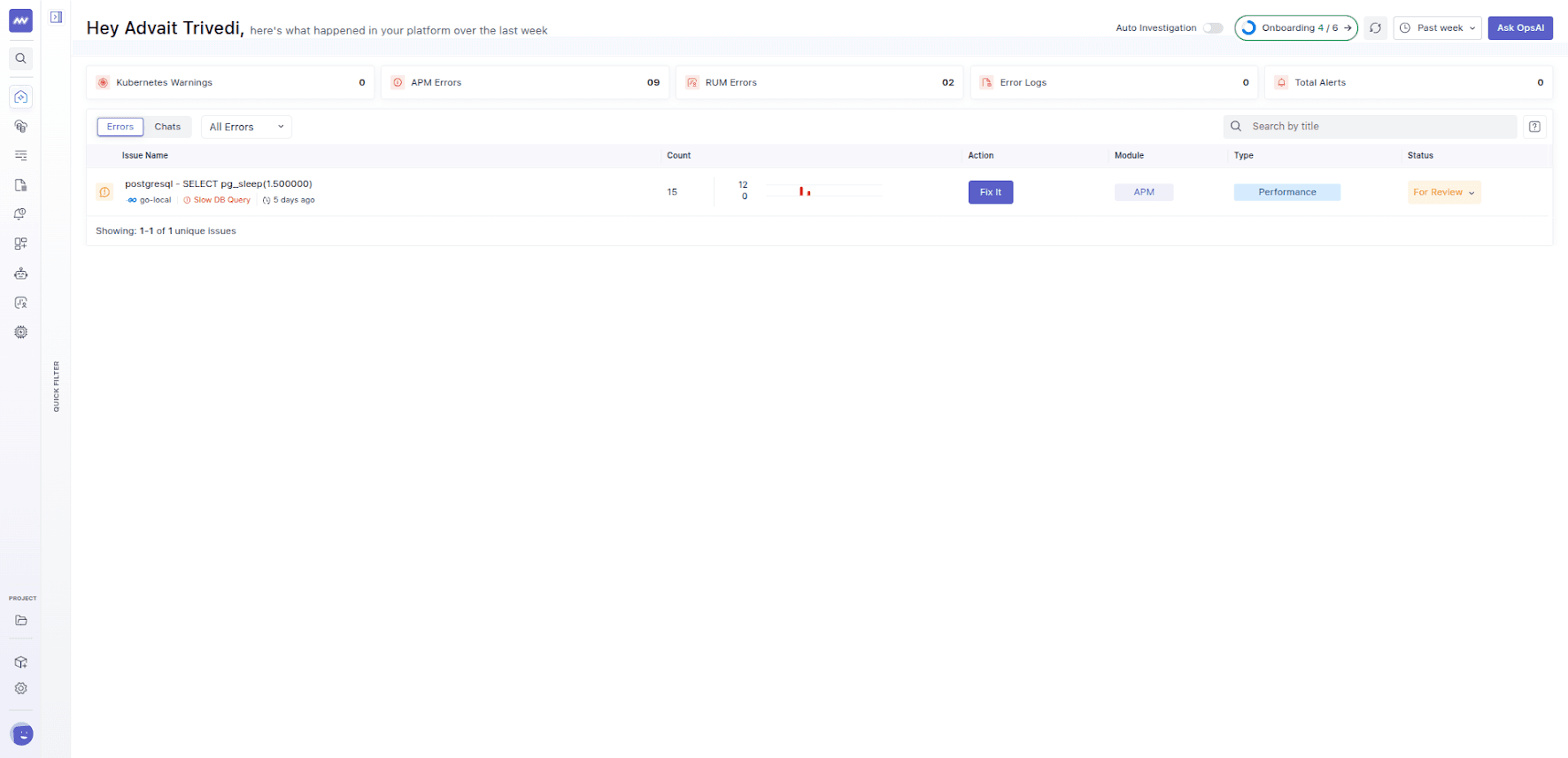
The issue title shows the database and the query that was slow. Open the issue to see the full query, which service ran it, and how many times it has been slow. The Impact section explains what the delay costs, and Suggested actions points you toward the likely fix.
Common causes#
- A missing index. The database has to read every row in a table to find the ones you asked for. This is the most common cause, and it gets worse as the table grows.
- A query that returns too much. Selecting every column, or every row, when the page only shows a few.
- Expensive filtering or sorting. Sorting a large result set, or searching text with patterns that can't use an index.
- Large joins. Combining big tables without narrowing them down first.
- Locks and contention. The query itself is fine, but it has to wait for other work to release the rows it needs.
How to fix it#
Start by finding out why the database is slow, rather than guessing. Most databases can show you how they plan to run a query, usually with a command called EXPLAIN. The plan shows whether the database is scanning a whole table or using an index. Be careful with EXPLAIN ANALYZE, which actually runs the query. Don't use it on statements that change data.
Once you know the cause, the usual fixes are:
- Add an index on the columns the query filters or sorts by.
- Return less. Select only the columns you need and add limits or pagination.
- Rewrite the query to filter earlier, avoid unnecessary joins, or replace a pattern that can't use an index.
- Cache the result if the data doesn't change often and the query is run frequently.
Example#
A product page has a search box. Every search runs a query against a table of several million products and filters on the product name. There is no index on that column, so the database reads every row for every search. On a small test database it feels instant. In production, each search takes over a second, and when many people search at the same time, the whole database slows down.
After adding an index on the searched column, the database jumps straight to the matching rows, and the same search returns quickly. The Slow DB Query issue stops receiving new occurrences.
Related issues#
- N+1 DB Query: fast queries that add up because they run too many times.
- Consecutive DB Queries: queries that could run at the same time but don't.
Need assistance or want to learn more about Middleware? Get in touch with us via our Contact Us or join our Slack channel.