HTTP/1.1 Overhead
An HTTP/1.1 Overhead issue is created when a page makes many requests to the same server over HTTP/1.1, and some of them spend a long time waiting in a queue before they even start.
HTTP/1.1 has a built-in limit. Browsers open only a handful of connections to a single server, and each connection can handle one request at a time. When a page needs more resources than that, the extra requests wait for a free connection. Nothing is wrong with the requests themselves. They are just stuck behind others, and the page takes longer to load because of it.
This issue is found in RUM, because the waiting happens in your users' browsers.
How Middleware detects it#
Middleware looks at the requests a page made to each server. It flags a page when several requests to the same server were sent over HTTP/1.1, ran at overlapping times, and spent a long time waiting before they were sent. The pattern is one of requests getting delayed more and more as they queue up behind earlier ones.
Only HTTP/1.1 is checked. Requests made over HTTP/2 or HTTP/3 can share a single connection and don't queue this way.
What you'll see in Middleware#
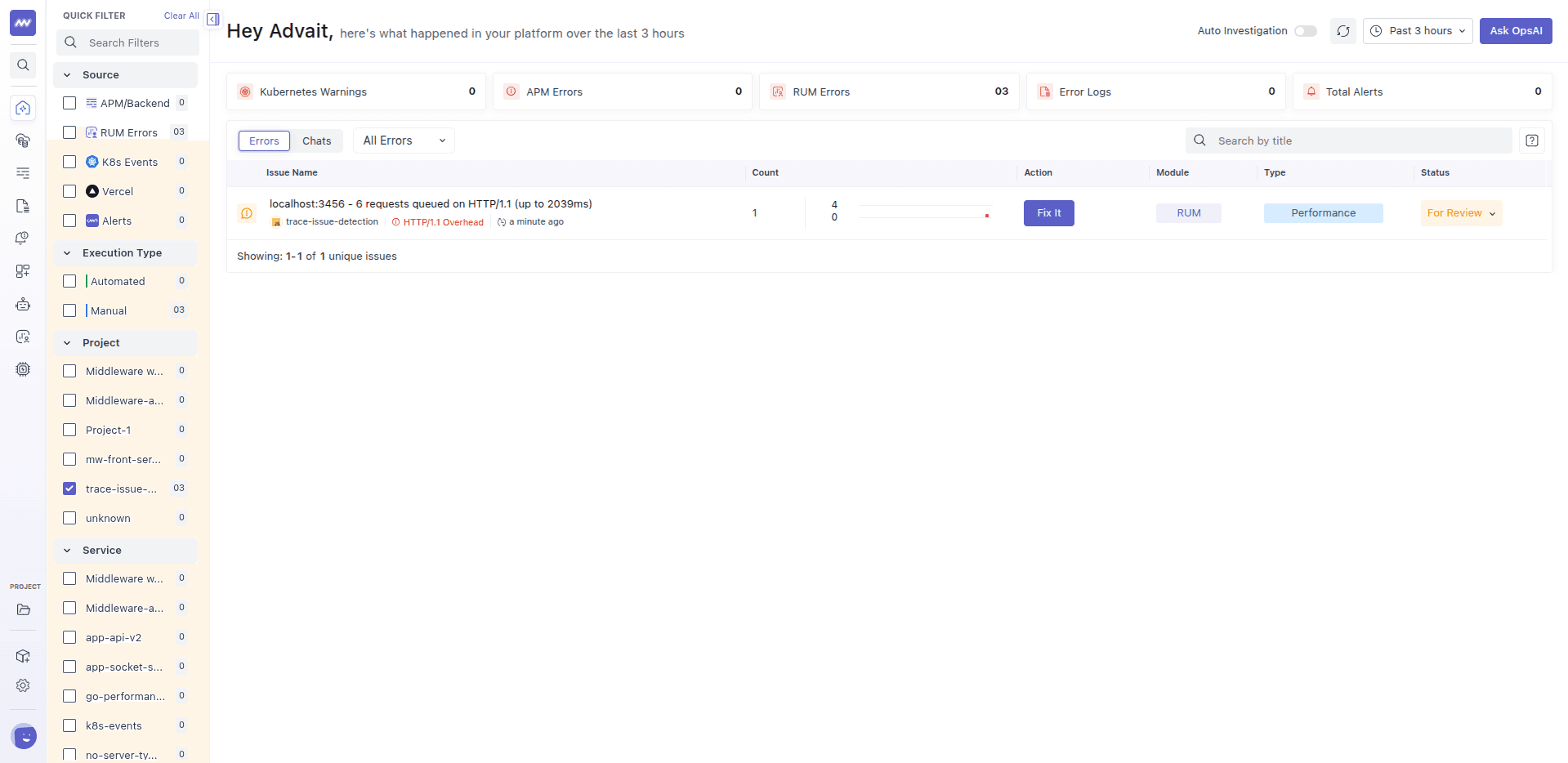
The title shows the server, how many requests were queued, and the longest wait, for example example.com - 6 requests queued on HTTP/1.1 (up to 2039ms). Open the issue to see which requests were delayed and by how much.
Common causes#
- The server only supports HTTP/1.1. This is the most common cause, and it is often an old proxy, load balancer, or hosting setup.
- A page loads many small resources from one server, such as many images, scripts, or API calls.
- Everything comes from one host. With more than one host, browsers can open more connections in total.
- A proxy or CDN downgrades the connection to HTTP/1.1 before it reaches the browser.
How to fix it#
- Move to HTTP/2 or HTTP/3. These let a browser send many requests over one connection at the same time, which removes the queue. Most modern web servers, load balancers, and CDNs support them, and it is often just a setting.
- Check every hop. Make sure the connection between the browser and your CDN, load balancer, or proxy uses HTTP/2, and not just the one behind it.
- Make fewer requests. Bundle small scripts and styles together, combine small images, and load only what the page needs right now.
- Combine API calls. If the page makes many requests to your backend, a batch endpoint can replace many of them. See N+1 API Calls.
- Spread resources across hosts, as a last resort, when you can't move off HTTP/1.1. This is less effective than HTTP/2 and adds its own overhead.
Example#
A gallery page loads 40 thumbnail images and several scripts, all from the same server. That server only speaks HTTP/1.1. The browser downloads a few files at a time, and the rest wait for a free connection. The last images on the page start loading more than two seconds after the page requested them.
After enabling HTTP/2 on the server, the browser requests all the files at once over a single connection. The waiting disappears, and the HTTP/1.1 Overhead issue stops receiving new occurrences.
Related issues#
- N+1 API Calls: many small requests that could be one.
- Large Render Blocking Asset: a large file that delays the first content.
Need assistance or want to learn more about Middleware? Get in touch with us via our Contact Us or join our Slack channel.