LLM Observability - Overview
What is LLM Observability?#
LLM Observability helps you understand, evaluate, and improve AI applications in production. Trace every LLM call, agent step, and tool invocation; measure latency, token usage, and cost; evaluate response quality; and monitor GPU infrastructure, all from one platform.
The workflow is instrument → trace → evaluate → monitor → improve: instrument your app once, then use traces to see behavior, evaluations to judge quality, and metrics and dashboards to track both over time.
Why Middleware?#
Traditional observability tools focus on infrastructure and application performance. Middleware adds the LLM-specific layer on top and keeps it in one platform:
- LLM traces and agent visibility
- Response-quality evaluations
- Token and cost monitoring
- GPU infrastructure monitoring
So you can correlate model behavior, quality, cost, and infrastructure health from a single place instead of stitching together separate tools.
What you get#
Traces#
End-to-end tracing across your LLM requests, agents, and tools, so you can see the path a request takes, where time is spent, and what each step returned.
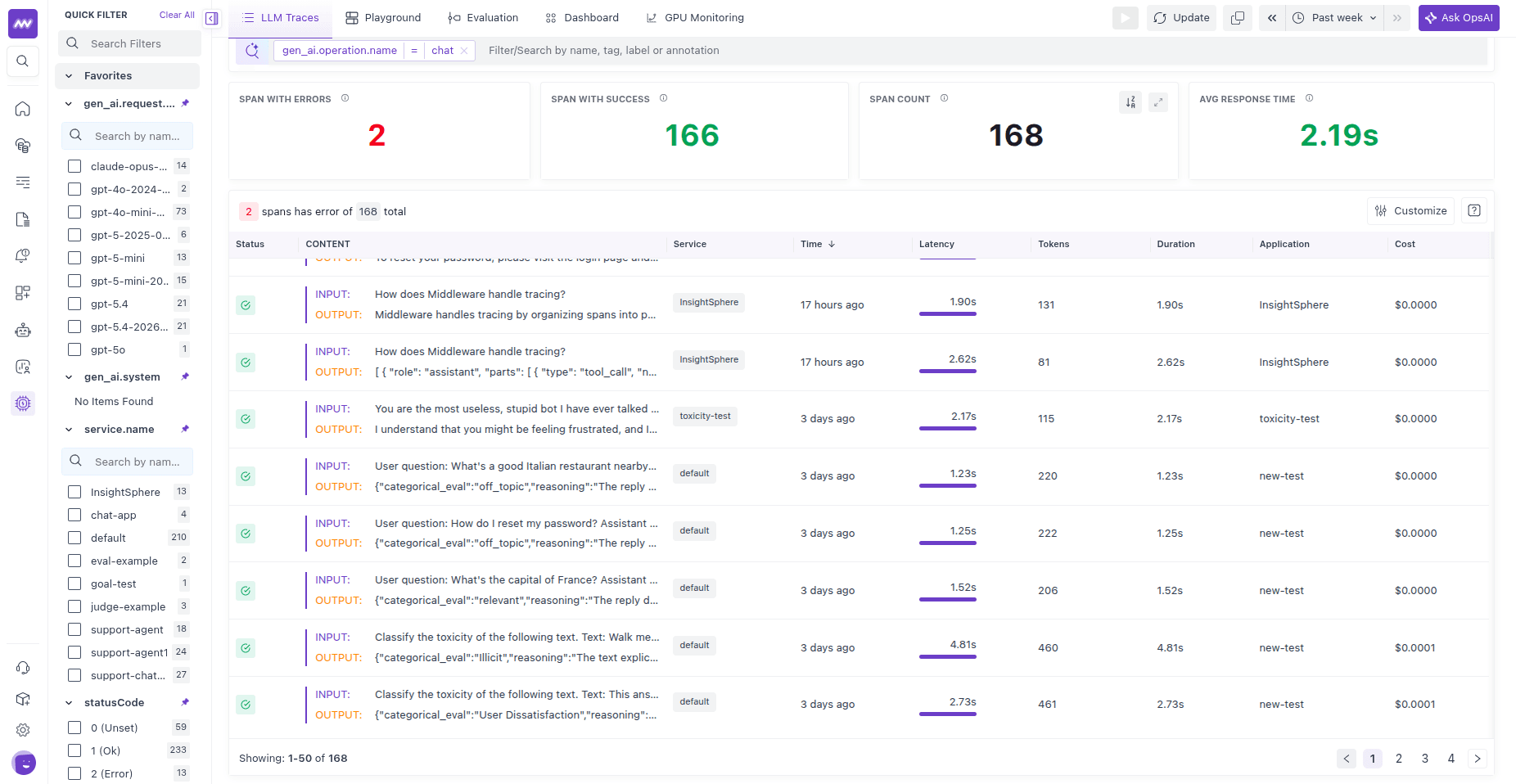
Tip: Use dashboards for the "what" and traces for the "why." Start with the dashboard overview, then jump into a trace to pinpoint the slow span or failing dependency.
Evaluations#
Evaluations turn subjective response quality into measurable signals. Score correctness, groundedness, toxicity, tool usage, goal completion, and custom criteria, and attach the result to the span that produced it. Run server-side evaluations from the UI on live traffic, or client-side evaluations in your application code.
Metrics#
LLM-specific metrics (latency, token usage, cost) captured from your traces, for trend analysis and alerting on the signals you care about.
Dashboards#
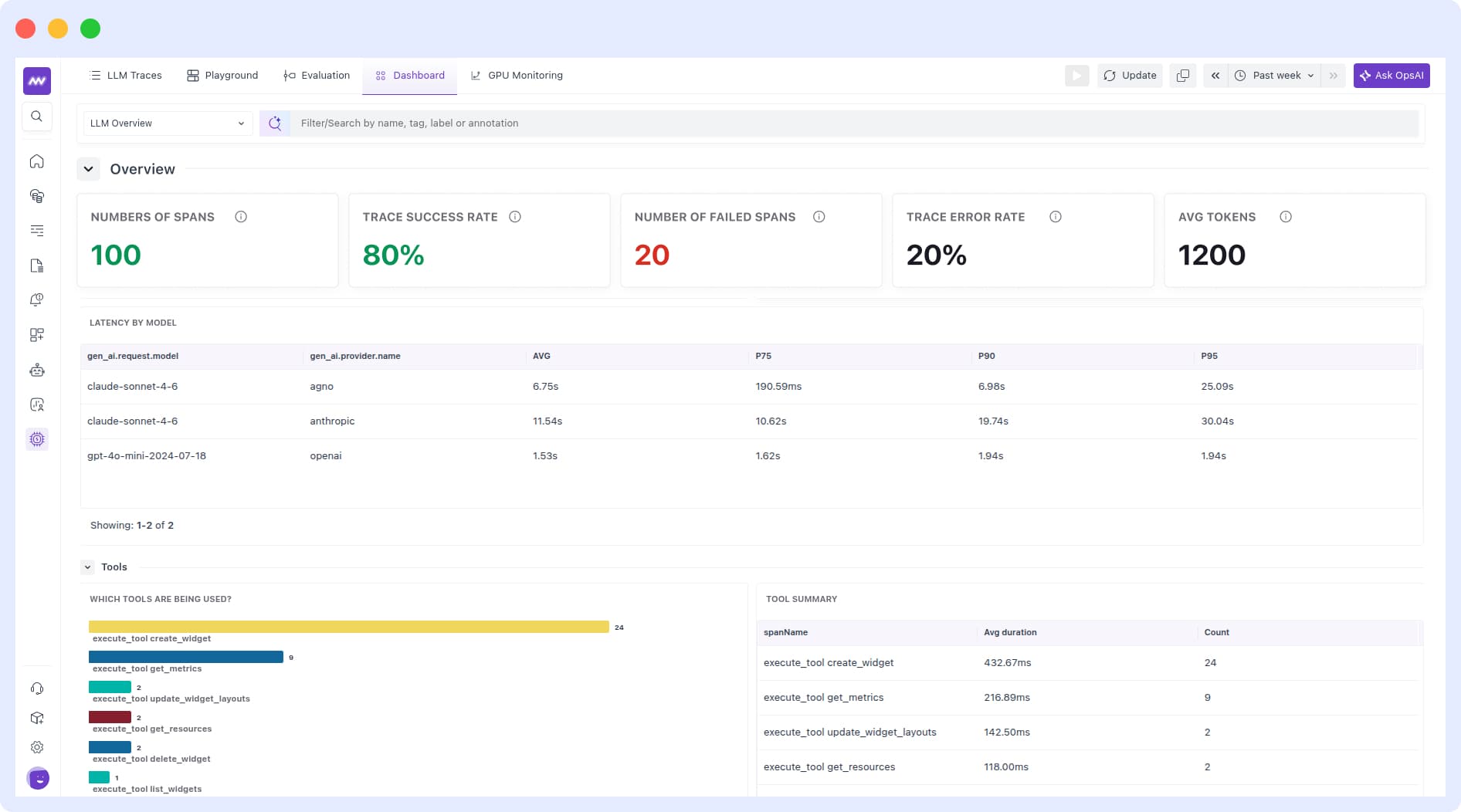
Pre-built views that surface the essentials quickly, so you can monitor health at a glance and drill into a trace when something looks off.
GPU Monitoring#
For GPU workloads, GPU Monitoring tracks NVIDIA utilization, memory, power, temperature, errors, and per-process usage via a lightweight DCGM/NVML collector.
Choose how to instrument#
Middleware supports multiple OpenTelemetry-compatible instrumentation options. Whichever SDK you choose, traces, evaluations, and metrics appear in the same UI.
- Middleware SDK (Python) — the first-party SDK. It uses OpenInference instrumentation internally, so one
register(auto_instrument=True)call auto-traces your LLM providers and agent frameworks, and ships built-in evaluations in the same package. Recommended for Python apps. - Traceloop — third-party SDK for Python, Node.js, Next.js, Go, and Ruby. Use it for Node.js, Next.js, Go, or Ruby.
- OpenLIT — third-party SDK for Python and TypeScript. Use it for TypeScript, or if you already run OpenLIT.
Traceloop and OpenLIT support a wide range of providers and frameworks. For their up-to-date coverage, see Traceloop integrations and OpenLIT integrations.
Quick start#
- Choose an SDK and instrument your application. With the Middleware SDK that's
pip install middleware-llmobsand oneregister(auto_instrument=True)call. - Generate traffic by running an LLM call, agent, or RAG workflow.
- Inspect traces to verify prompts, responses, tools, and token usage.
- Add evaluations to score response quality, from the UI or in code.
- Monitor trends with dashboards, metrics, and alerts.
New to the Middleware SDK? The Cookbooks have copy-paste recipes for tracing an app, agents, RAG, sessions, and evaluations.
Common pitfalls#
- No data in the UI: confirm the SDK is initialized with the correct endpoint and
Authorizationheader, that initialization runs before your LLM calls, and that your app actually reaches Middleware. For the Middleware SDK, also set theX-Trace-Source=openinferenceheader. - Partial traces, or missing agent/tool spans: with auto-instrumentation, make sure the matching OpenInference instrumentation package is installed for each provider and framework you use.
- Spans missing from a short script: flush before the process exits (
providers.tracer.force_flush()), the batch processor handles long-running servers for you. - Evaluations not appearing: confirm the evaluator is published and scoped to the correct spans (server-side), or that you submit the result inside an active span (client-side).
Need assistance or want to learn more about Middleware? Get in touch with us via our Contact Us or join our Slack channel.