September 9, 2026
Middleware v2.8.2 introduces the Free Forever plan and updates log anomaly detection, alert configuration, and Node.js exception capture. The release also expands OpsAI issue detection and adds log context to investigations.
Free Forever Plan Usage Allowances#
The Middleware Free Forever plan includes the following monthly usage allowances:
- 100 GB of data ingestion
- 1,000 RUM sessions
- 20,000 synthetic checks
- 10 browser tests
- 2 million OpsAI tokens
A credit card is required to activate the plan. Only usage above the monthly allowances is charged.
Log Anomaly Detection#
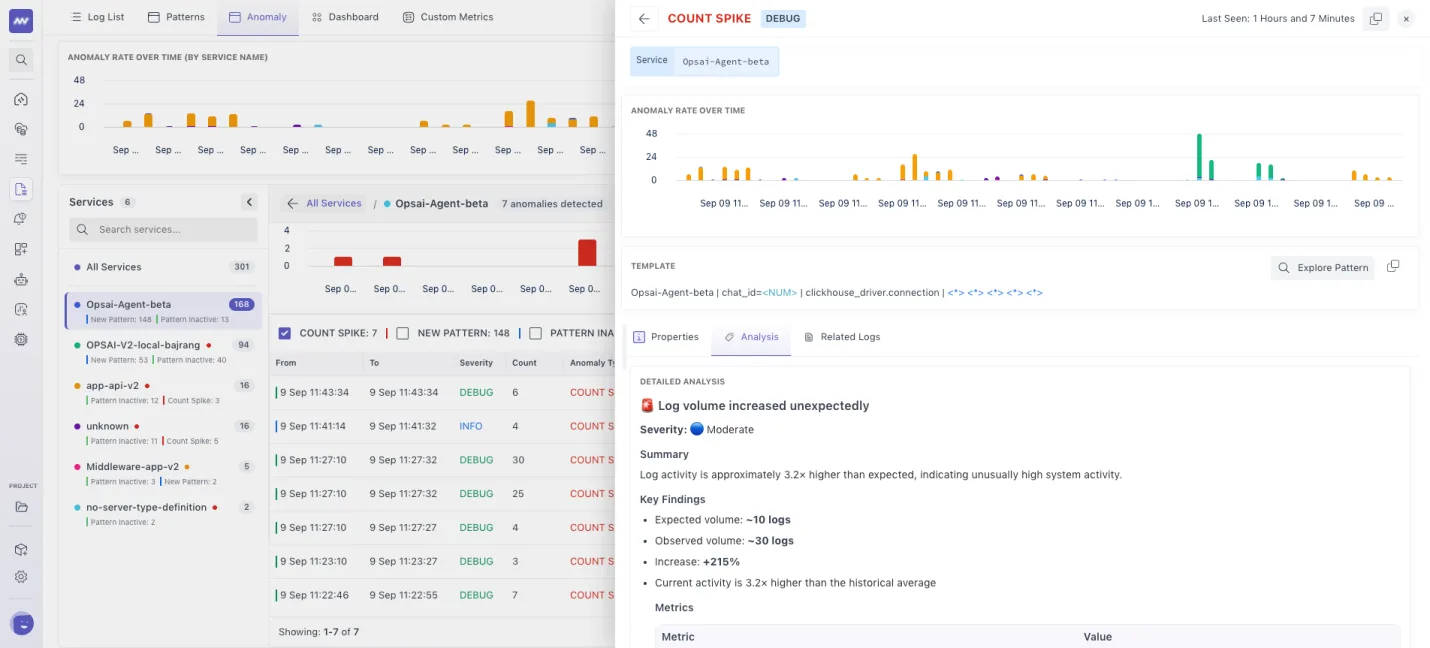
The updated Log Anomaly view shows unusual log activity across services, with breakdowns by severity and anomaly type. Open an anomaly to inspect related logs and analysis.
Alert Configuration and Notifications#
- Default alerts: Added alerts for slow database queries, Kubernetes job failures, slow page loads, API failures, and slow API responses. Default alerts now send email notifications when triggered.
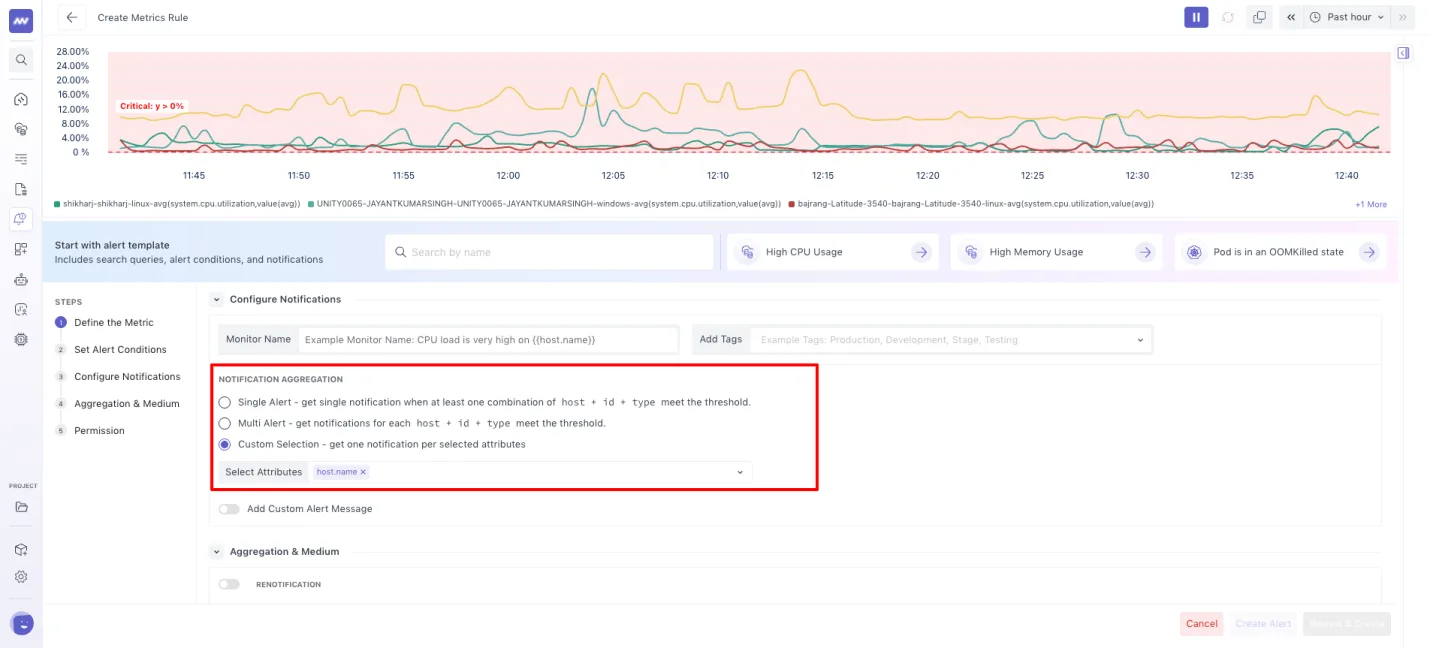
- Notification grouping: Choose one notification or separate notifications based on grouping attributes to control notification volume when several resources trigger the same alert.
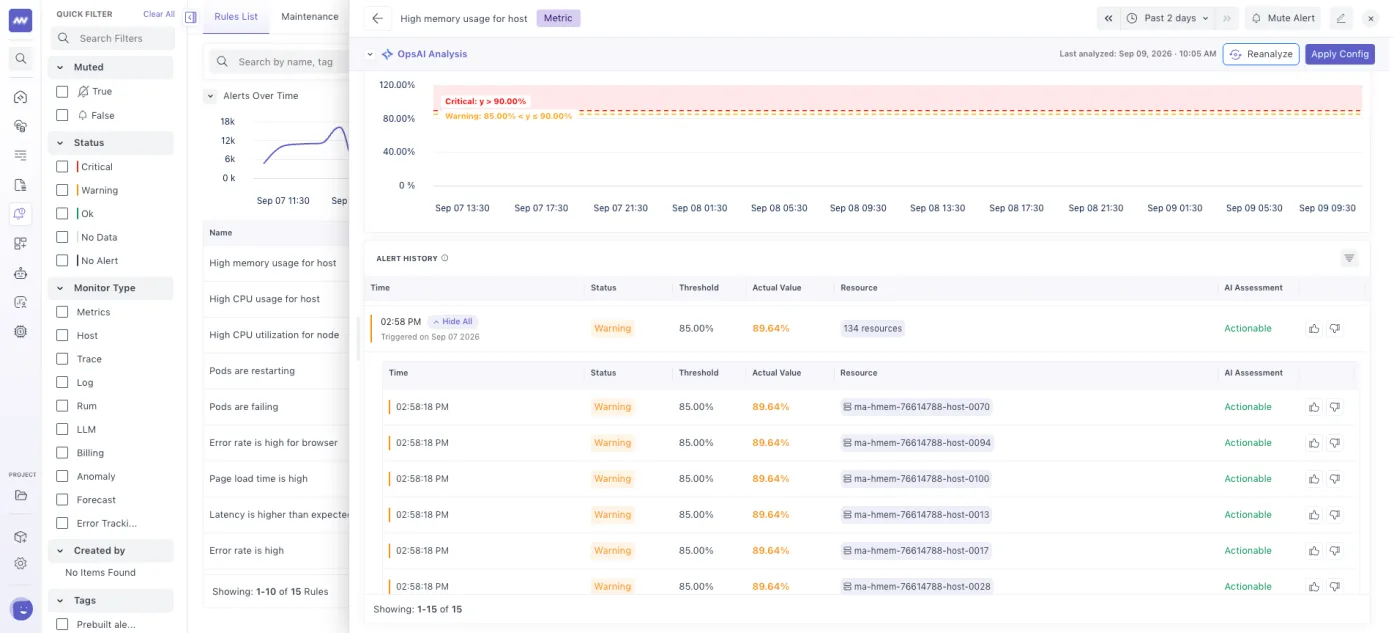
- Trigger history: View the status and resource name for each grouped alert trigger to identify affected resources.
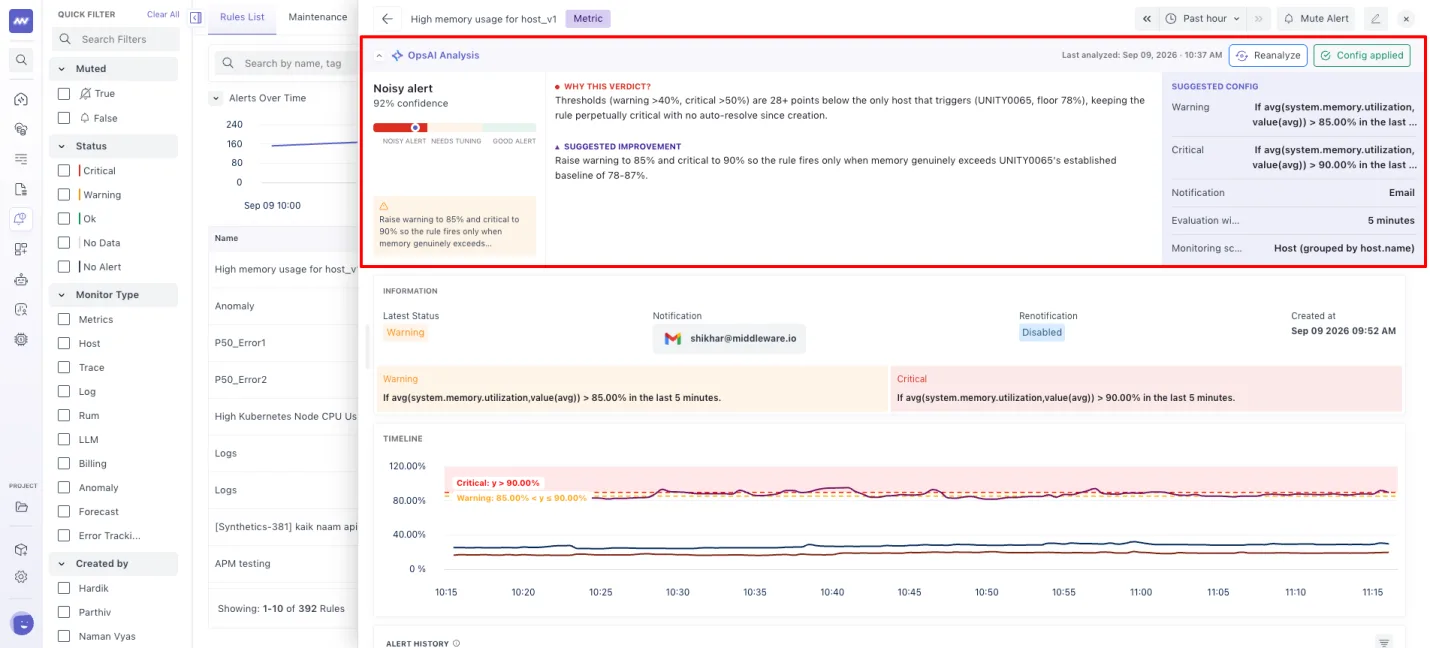
- OpsAI configuration review: Use OpsAI to review alert settings and recommend changes to thresholds or other configuration when troubleshooting false alerts.
Project Navigation and Setup#
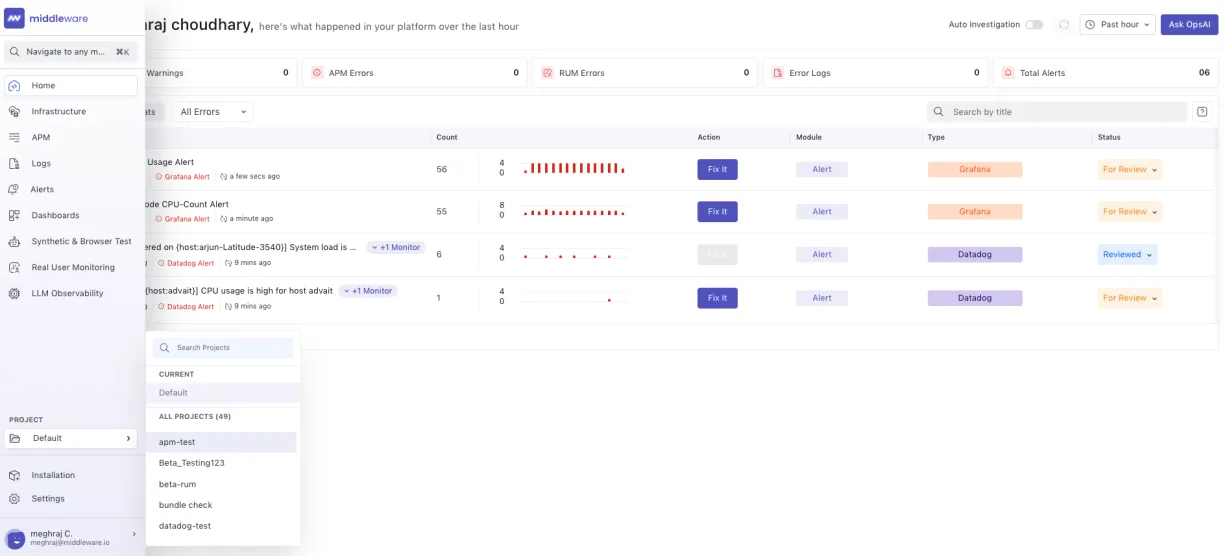
Search projects from the redesigned navigation menu and see the selected project. Installation and Settings now have separate navigation entries.
Node.js Exception Capture in APM#
Automatic exception capture now covers more Node.js frameworks, including Fastify, Koa, and Hapi. Open the Errors tab of an APM trace to inspect captured exceptions.
OpsAI Performance Issue Detection#
OpsAI now detects large HTTP payloads, slow database queries, and uncompressed assets, with error grouping by stack trace. Detection is enabled by default across all supported APM languages.
Log Context for OpsAI Investigations#
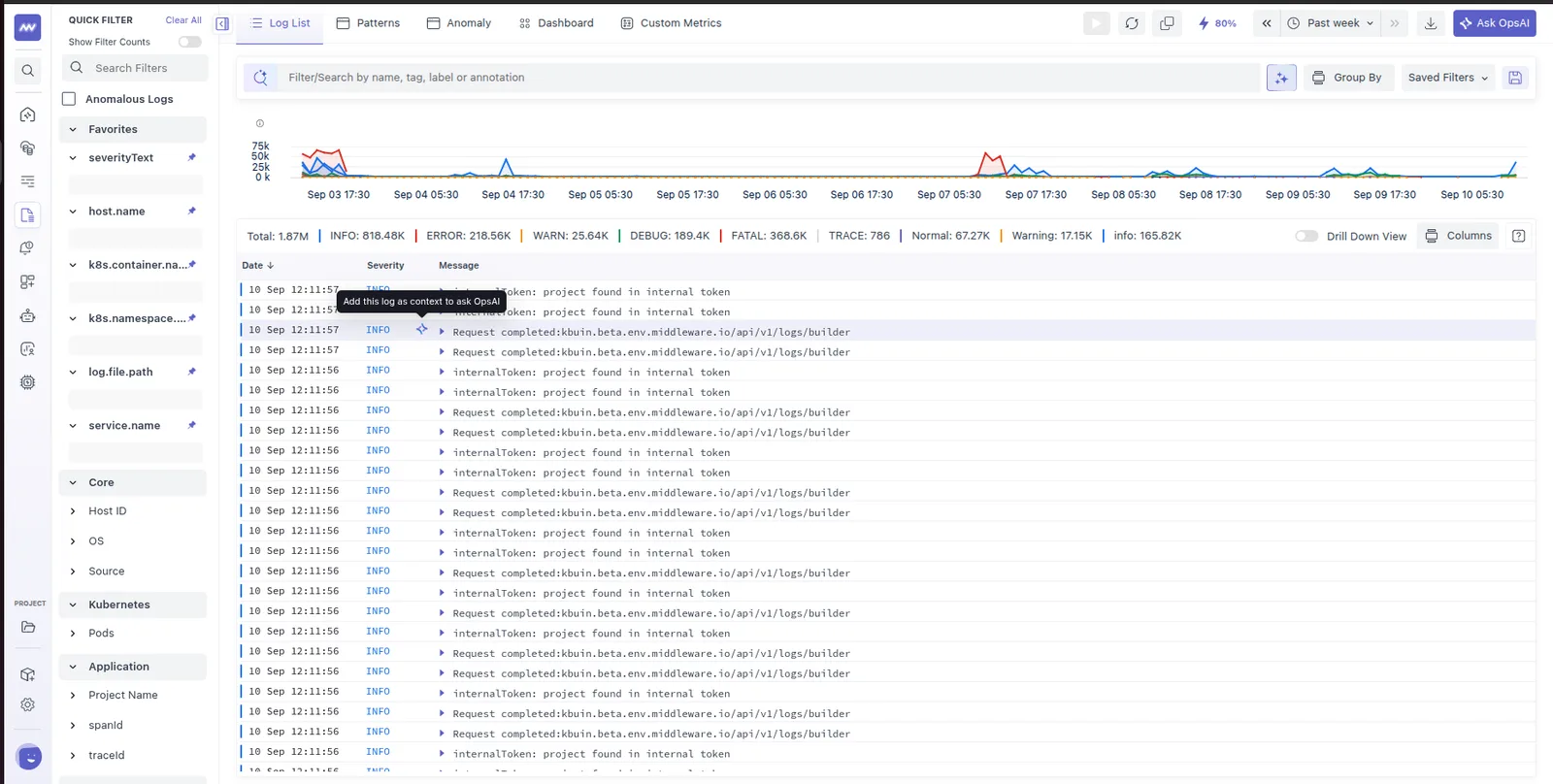
Attach a log to an OpsAI question to provide context for the investigation. OpsAI uses the log to focus its analysis on the event.
Need assistance or want to learn more about Middleware? Get in touch with us via our Contact Us or join our Slack channel.
What did you think of this content?