October 22, 2026
Release 2.8.5 shipped on October 22, 2026.
Features#
Advanced Search#
Added support for advanced search queries using AND, OR, wildcards, and regular expressions (regex), along with autocomplete suggestions. This makes it easier to combine multiple search conditions and filter data more precisely.
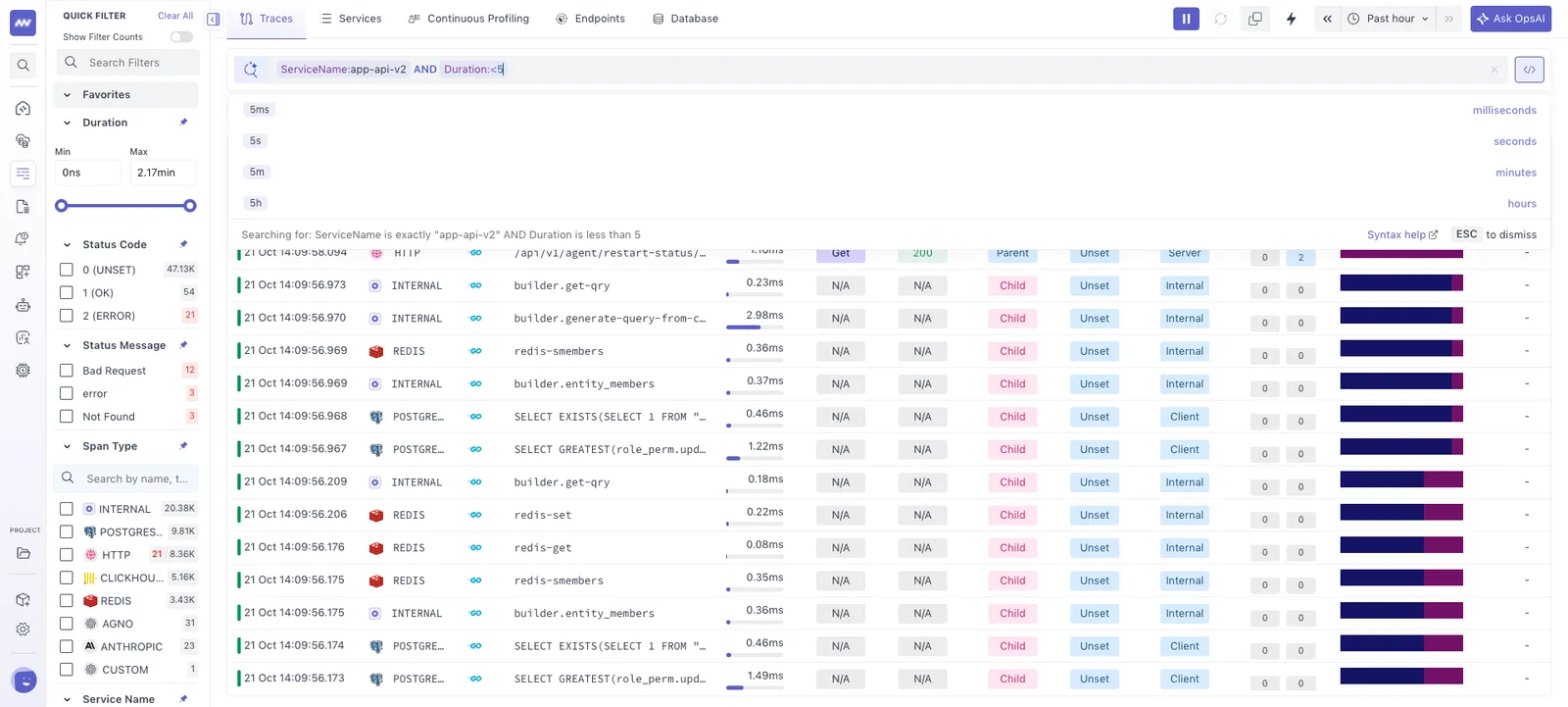
Advanced Search is currently available in APM and Logs, with support for Infrastructure Monitoring and RUM coming soon.
Log Parsing#
Added a one-click log extraction feature to automatically extract fields and values from log messages.
To extract fields:
- Navigate to Logs → Log Details → Log Message.
- Click the Log Extractor button.
- Review the automatically extracted fields and their values.
- Save the extracted fields to make them available as columns in the log listing.
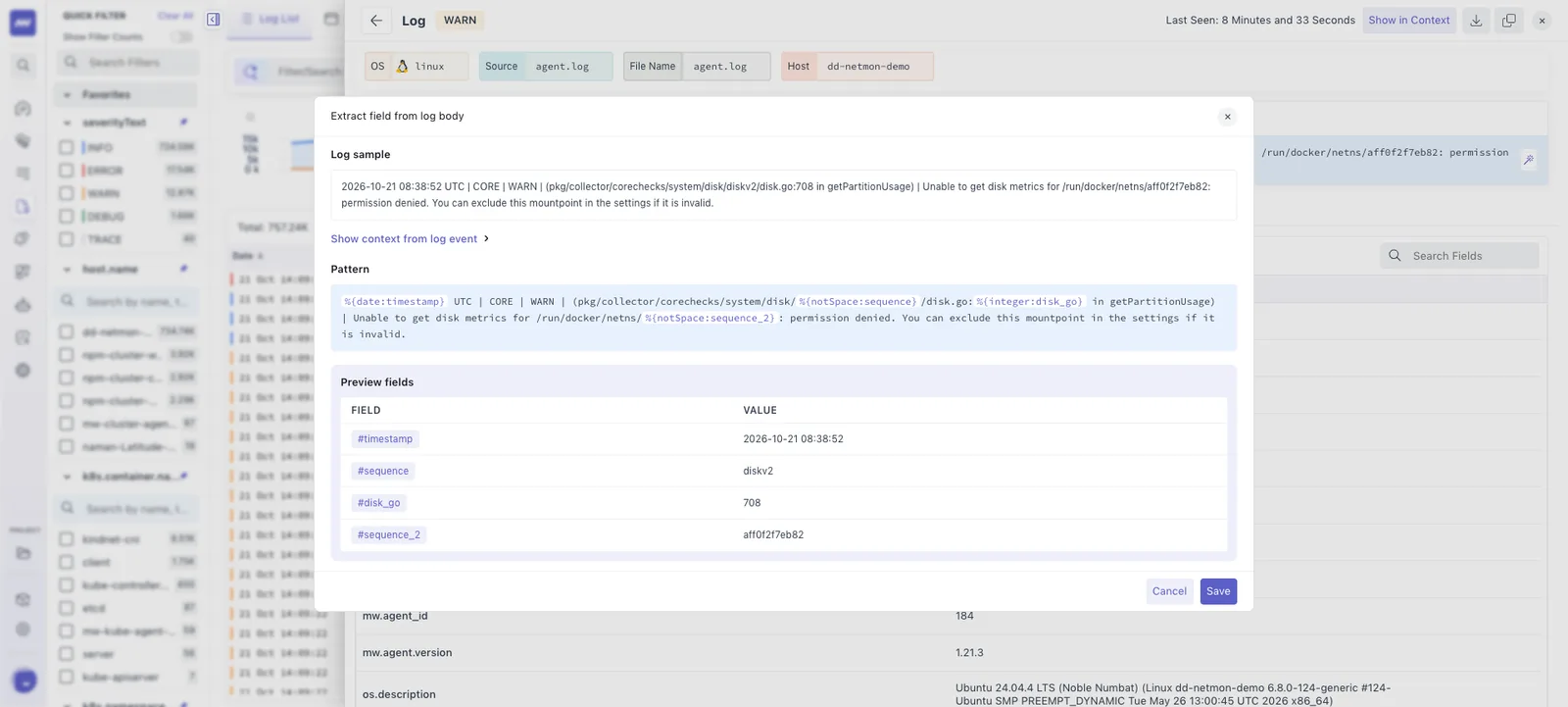
This makes it easier to filter and analyze structured data within log messages without manually defining parsing rules.
New Functions in Dashboard Builder#
With the updated V3 schema, Dashboard Builder now supports 10+ new function categories, each containing 5–15 functions.
- Updated dashboards across Infrastructure, APM, RUM, and Logs to support the new functions.
- Improved compatibility with Datadog dashboards and alerts by supporting most of the same functions, making imports easier while maintaining data consistency.
Data Ingestion Caps#
Added configurable ingestion limits to help control data usage across Middleware.
- Set ingestion limits for metrics, logs, and traces, as well as usage limits for RUM sessions and synthetic/browser test executions.
- Ingestion automatically stops when the configured limit is reached.
- Resume ingestion with a single click after a limit has been reached.
Note: This feature is available on request and is not enabled for all accounts by default.
Daily Usage Report#
Updated the Daily Digest with a redesigned interface and additional account health and performance metrics. The report provides a daily overview of key metrics across the account, making it easier to monitor overall health, identify potential issues, and track usage at a glance.
OpsAI Skills#
Introduced built-in skills that provide task-specific instructions for OpsAI investigations and workflows.
- Built-in skills: Includes incident investigation, error analysis, latency troubleshooting, infrastructure health, Kubernetes, logs, metrics, traces, RUM, synthetics, databases, LLM observability, dashboards, alert creation, and code investigation.
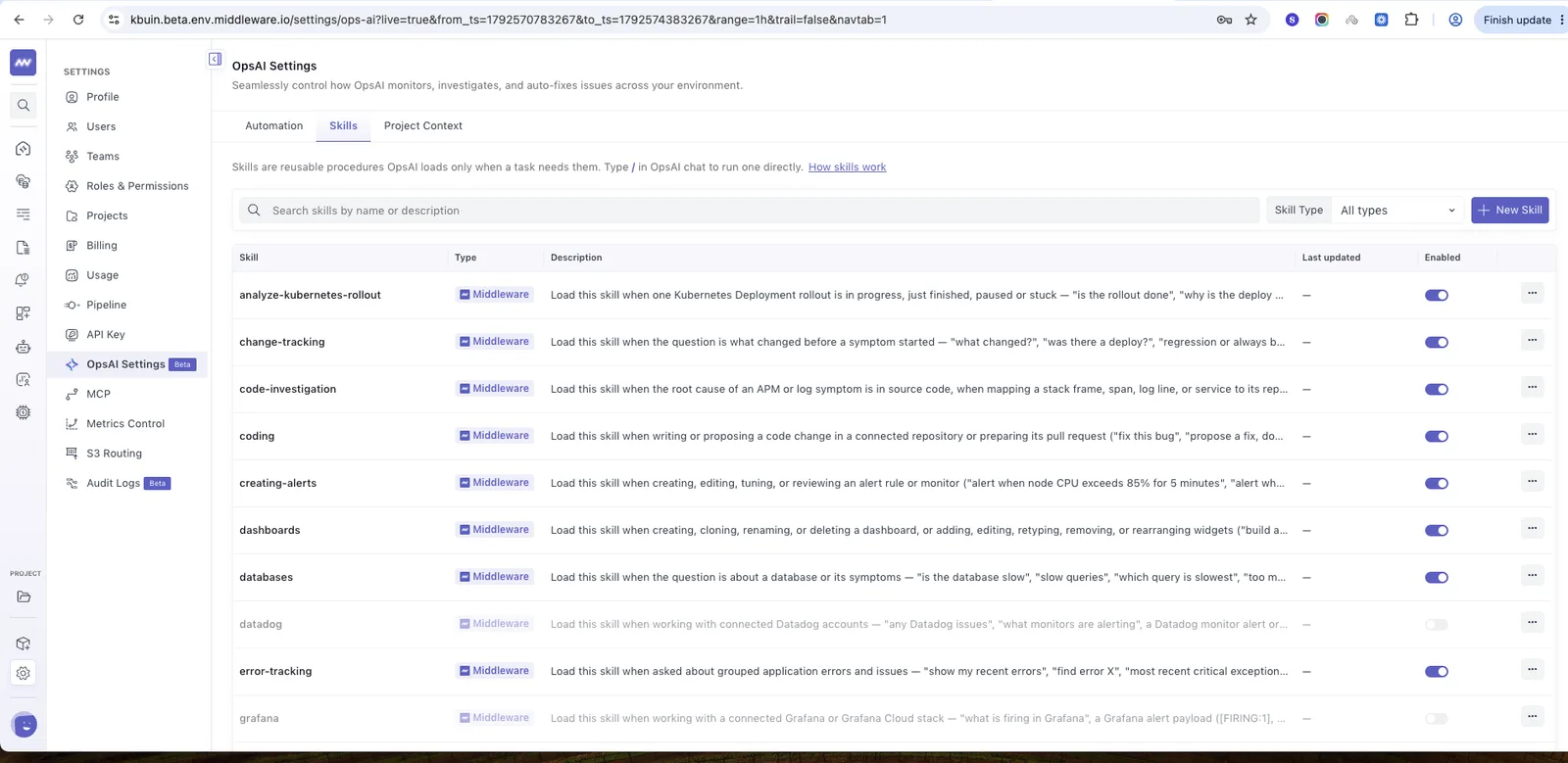
- Skill picker: Type
/in OpsAI chat to browse and run a specific skill. - Custom skills: Import existing skills or create new ones by defining custom instructions.
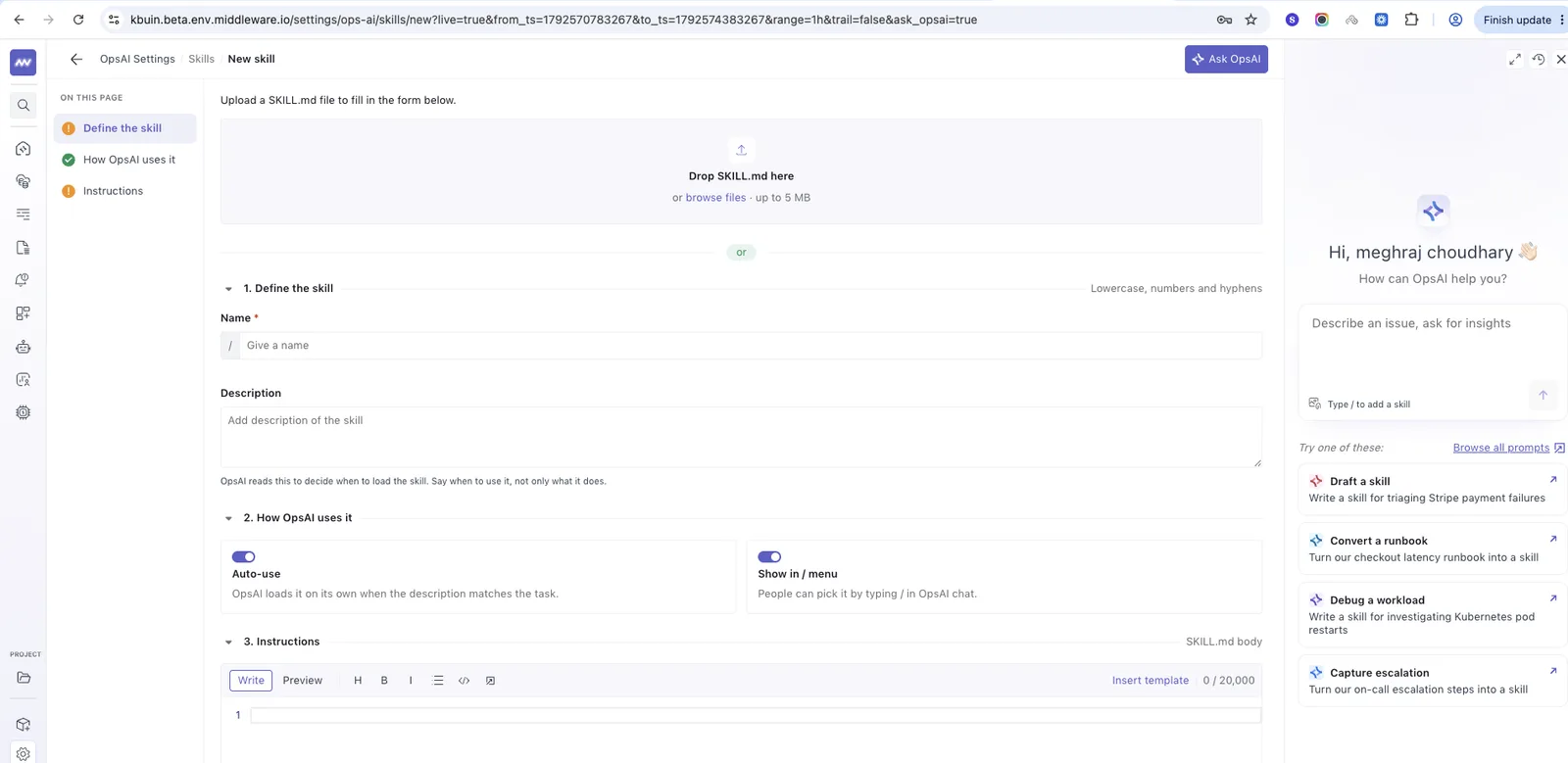
- Automatic skill selection: OpsAI agents automatically use relevant skills based on the task, without requiring manual selection.
OpsAI Project Context#
Added support for defining project-specific instructions and context to help OpsAI better understand application architecture, infrastructure, and project requirements. OpsAI automatically uses the configured context in new chats and issue investigations to provide more relevant analysis and suggested fixes.
RUM Improvements#
Added several enhancements to RUM configuration and session recording:
- Network data capture: Separated request/response headers and response bodies into individual configuration options for more granular control over data collection.
- Session recording: Added support for capturing iframe content in session recordings.
- SDK fixes: Fixed issues with capturing
cf-idandcf-cache-statusheaders.
Middleware Agent Improvements#
Added remote agent management capabilities to simplify configuration updates and version management.
- Remote OpenTelemetry configuration: Added support for applying OpenTelemetry configuration directly to agents from the Middleware backend, including agents running older versions.
- Remote version management: Added support for remotely upgrading or downgrading agents to a specific version without requiring manual updates on the host.
Need assistance or want to learn more about Middleware? Get in touch with us via our Contact Us or join our Slack channel.
What did you think of this content?