TrueFoundry
What is Truefoundary?#
TrueFoundry AI Gateway is the proxy layer that sits between your applications and the LLM providers and MCP Servers. It is an enterprise-grade platform that enables users to access 1000+ LLMs using a unified interface while taking care of observability and governance.
Prerequisites#
Before integrating Middleware with TrueFoundry, ensure you have:
- TrueFoundry Account: Create a Truefoundry account and follow the instructions in our Gateway Quick Start Guide
- Middleware access: Log in to Middleware with your work email (the account your organization uses for Middleware).
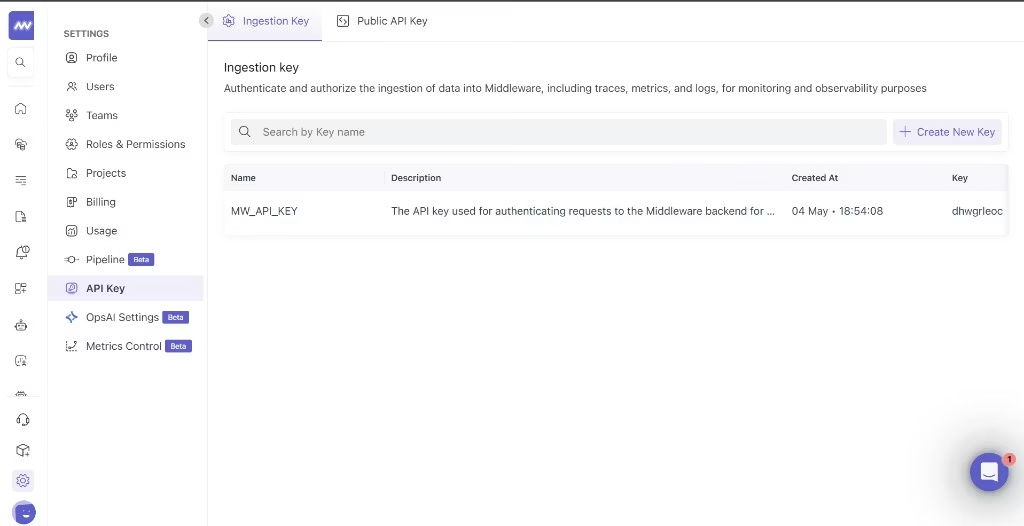
- Middleware API key: Obtain the API key Middleware issued for OTLP trace ingestion (typically from Middleware project or organization settings — use the credential they designate for traces).
Integration Steps#
TrueFoundry AI Gateway supports exporting OpenTelemetry traces to Middleware using your tenant OTLP ingest URL.
1 Collect your Middleware API key#
- Log in to Middleware with your work email and open your API key or organization settings (your admin may point you to the credential used for trace ingestion).
- Copy the secret and store it in a credential manager until you paste it into TrueFoundry gateway settings — you typically cannot retrieve the full secret again once generated.
If you are unsure which key fits this integration, confirm with Middleware support — this flow expects the key mapped to OTLP ingestion at https://<your-domain>.middleware.io:443/v1/traces (replace <your-domain> with your Middleware hostname prefix).
2 Configure OTEL Export in TrueFoundry#
- In the TrueFoundry dashboard, go to AI Engineering → Settings → OTEL Config (under Organisation, in the AI Gateway section).
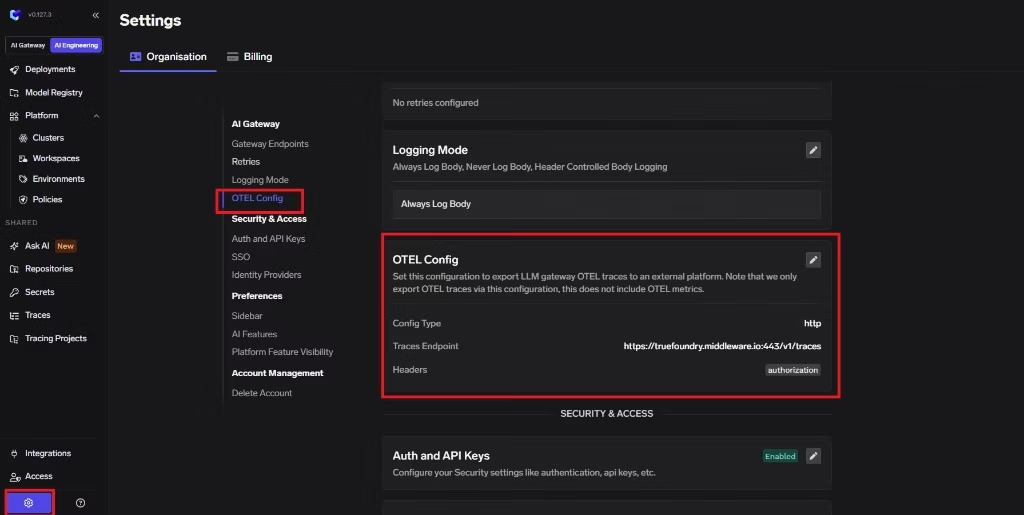
- Click edit on the OTEL Config section to open the exporter form (if it is not already open).
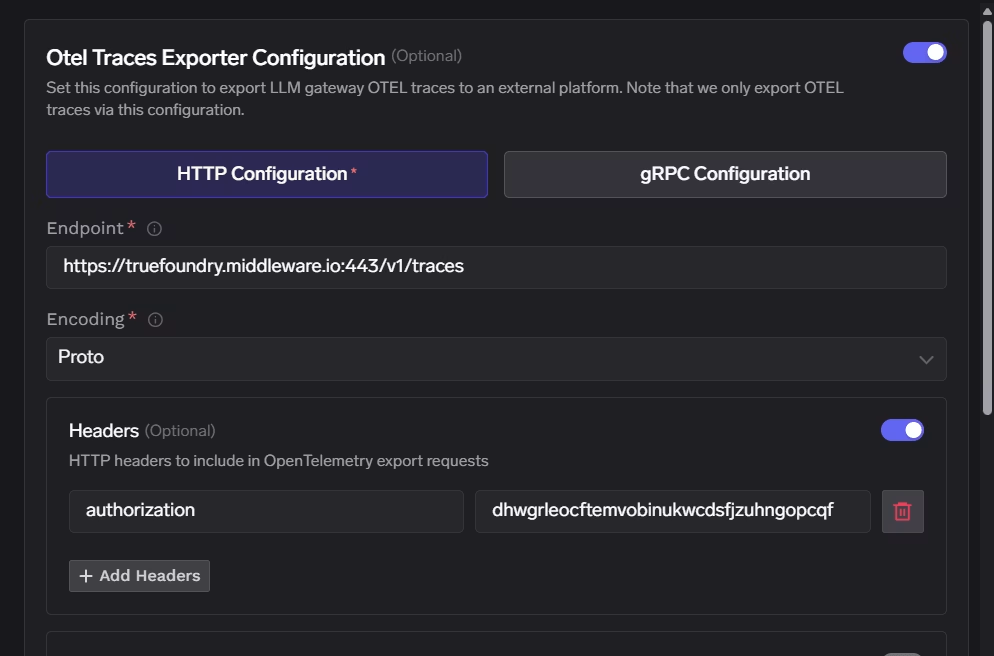
- Enable the OTEL Traces Exporter Configuration toggle.
- Select HTTP Configuration.
- Enter the Middleware traces endpoint:
https://<your-domain>.middleware.io:443/v1/traces - Set Encoding to
Proto.
3 Configure Headers#
Middleware expects authentication through the Authorization header only. Paste the raw API key as the header value (do not add a Bearer prefix unless Middleware explicitly instructed you otherwise).
| Header | Value |
|---|---|
| Authorization | <YOUR_MIDDLEWARE_API_KEY> |
Click Save to apply your configuration.
4 Verify the Integration#
- Make some requests through the TrueFoundry AI Gateway.
- Navigate to the Monitor section in TrueFoundry to verify traces are being generated.
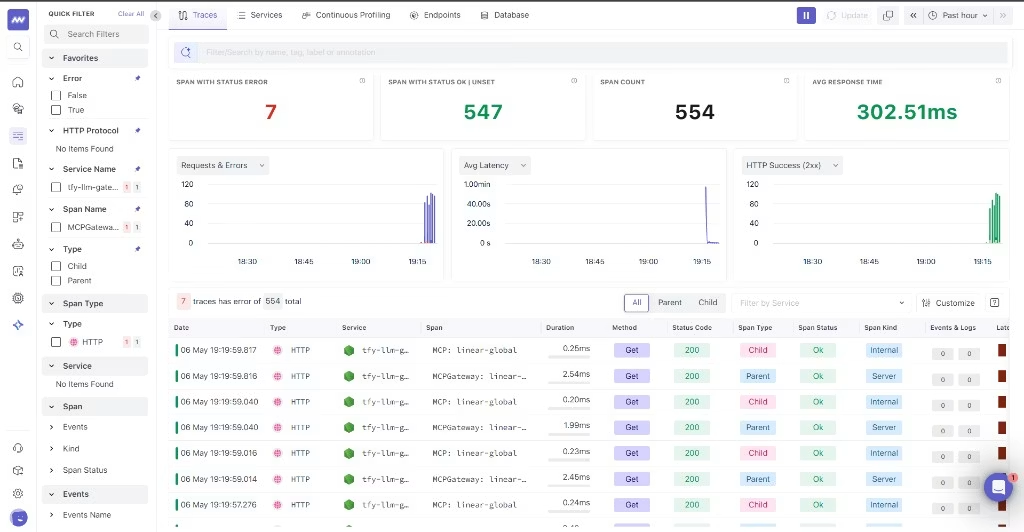
- Open Middleware and drill into traces for your project or environment to confirm spans sourced from TrueFoundry are appearing.
Configuration Options#
Middleware Endpoint#
Middleware exposes ingest configuration similar to the following (use your tenant hostname):
| Configuration | Value |
|---|---|
| Traces Endpoint | https://<your-domain>.middleware.io:443/v1/traces |
| Protocol | HTTP |
| Encoding | Proto |
| Authentication | Authorization set to your Middleware API key (no extra headers required) |
Need assistance or want to learn more about Middleware? Get in touch with us via our Contact Us or join our Slack channel.