June 17, 2026
Release 2.7.6 shipped on June 17, 2026.
Features#
LLM Observability#
- Revamped LLM observability by adding many more features to monitor LLM modules.
- Updated LLM traces screen with more data such as total token per request, cost, model, span info, stack trace, chat input, logs.
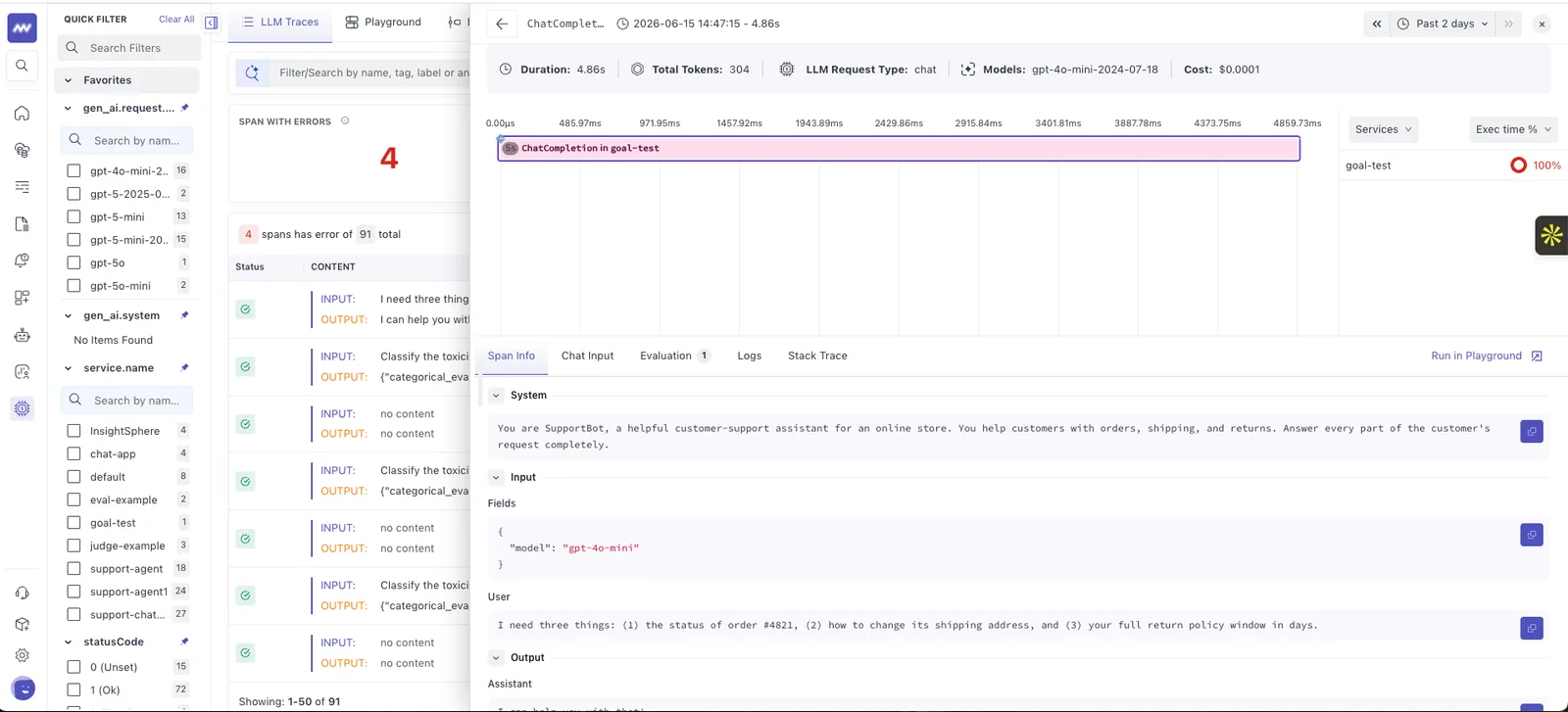
- Playground: Use different model, output schemas, add tool and see how LLM will give output for sample question
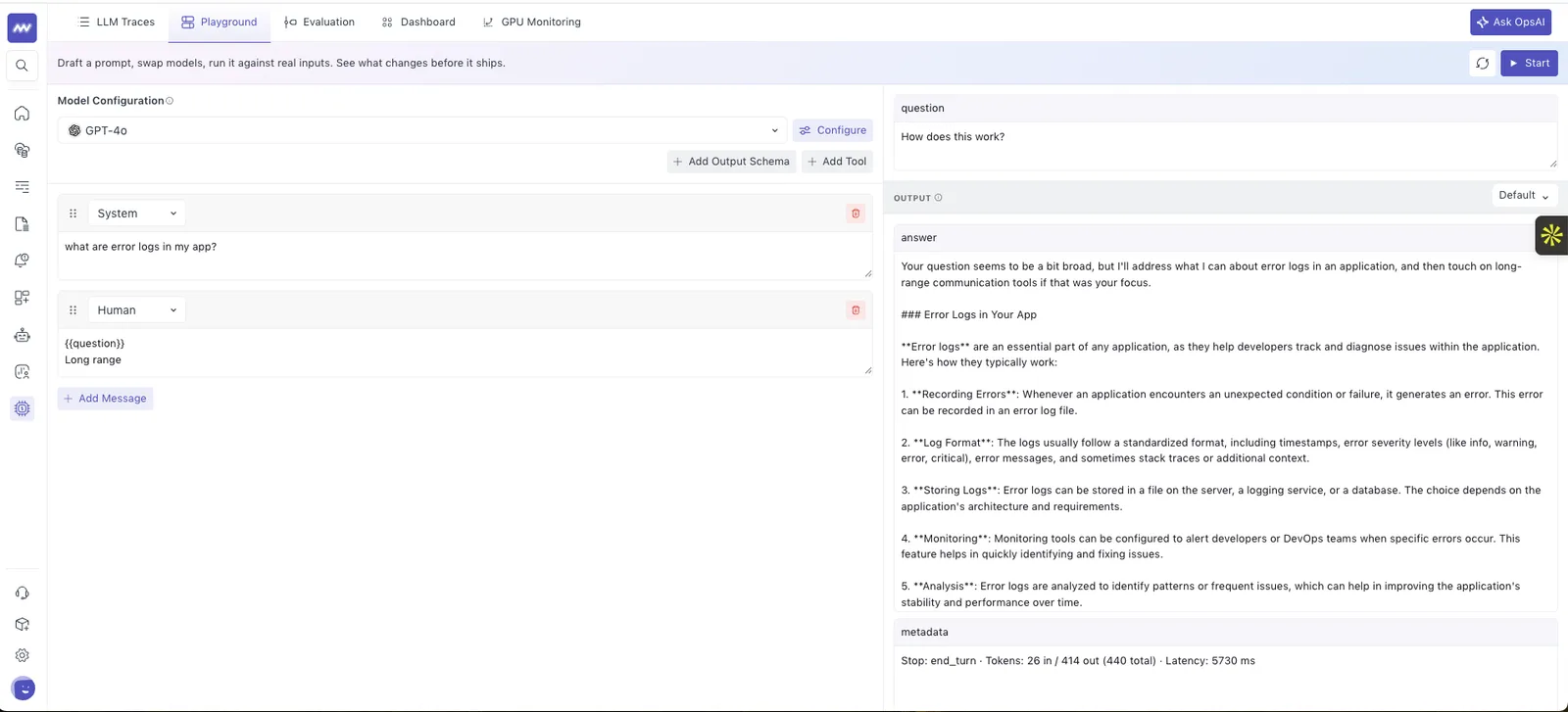
- LLM as a judge (Evaluation): Use a language model as the evaluator and define your scope, model and add rules to judge. It will judge each prompt based on the configuration and acceptance criteria.
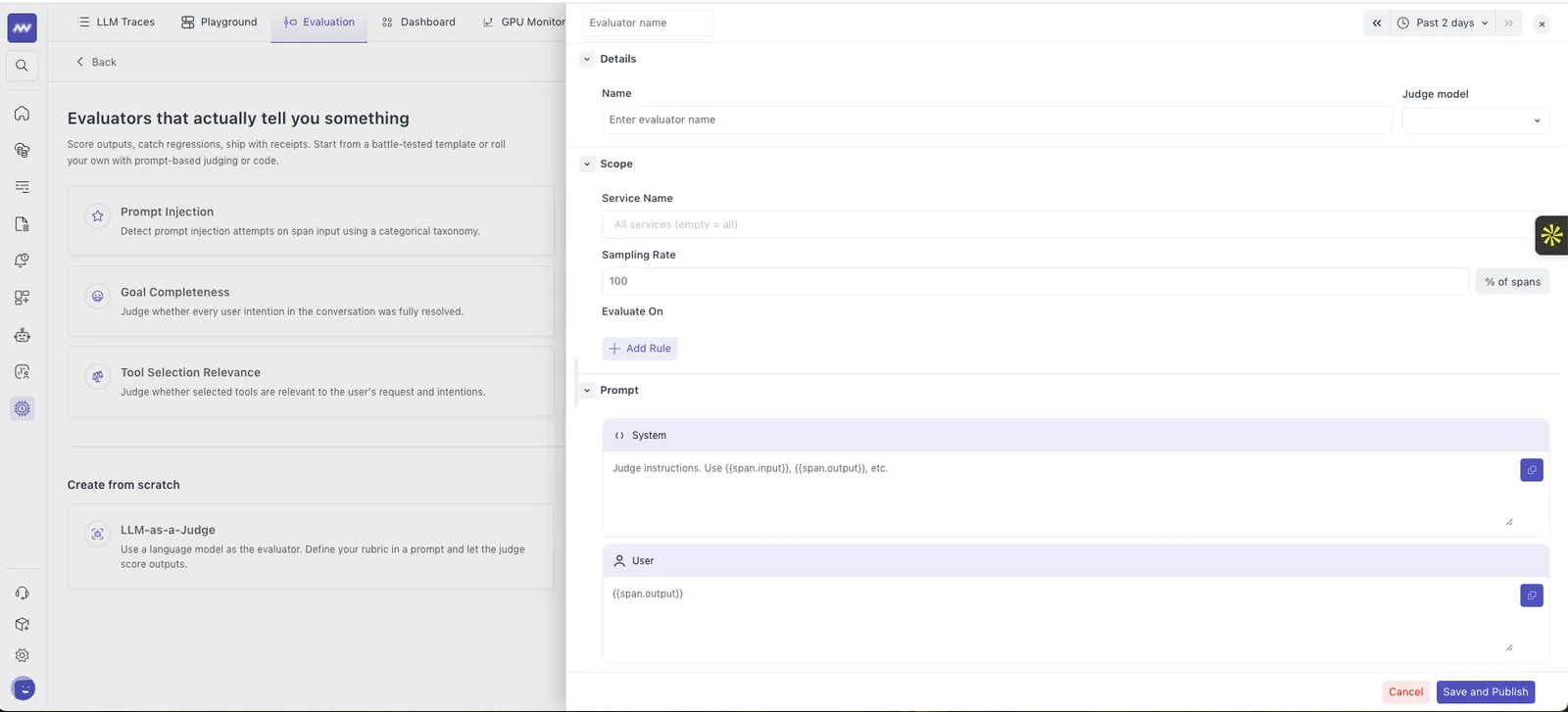
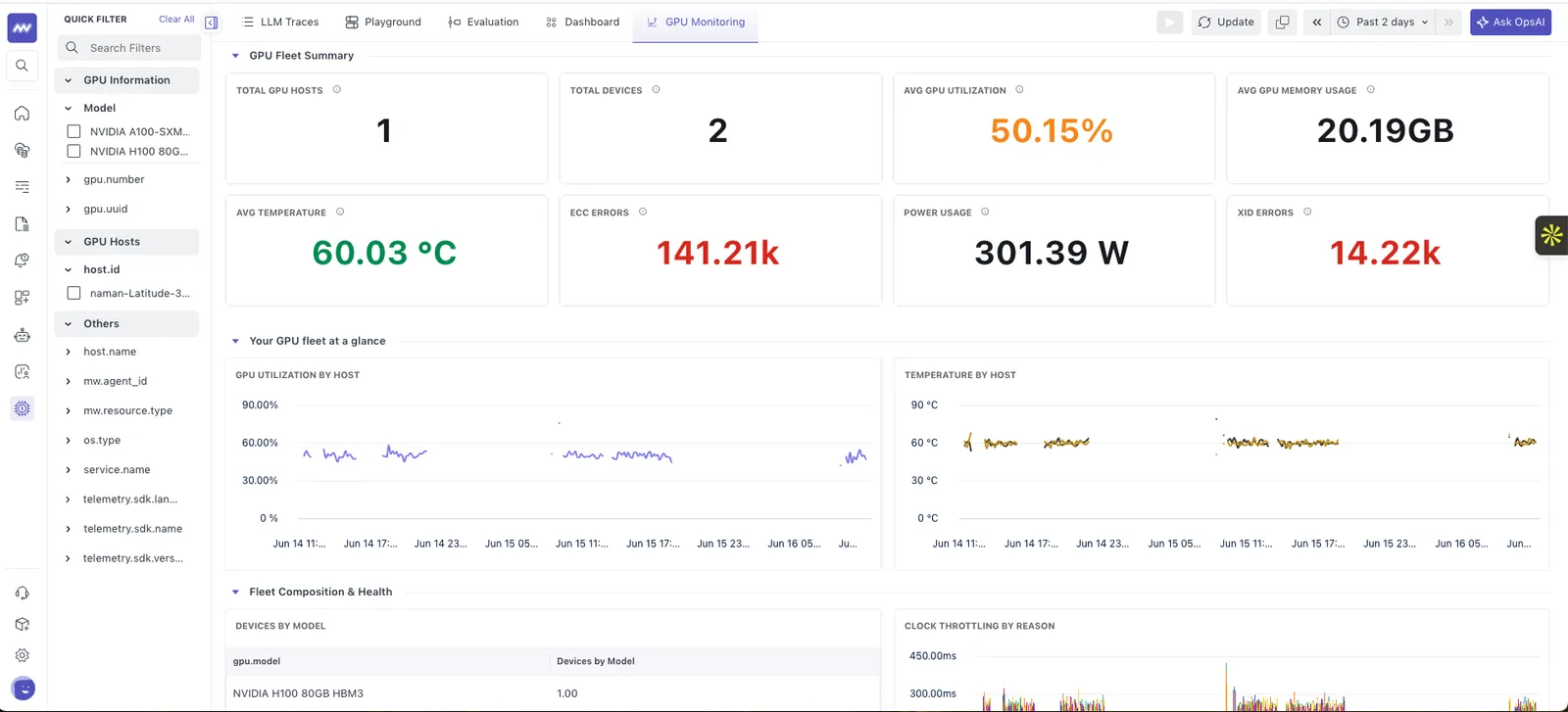
- GPU Monitoring: Monitor GPU hosts and devices with its metrics such as utilizations, occupancy, memory, temperature, power usage, bandwidth, processes and many more metrics.
- Dashboard: View summary of tokens, cost, error rate, duration, LLM calls, Evaluations, latency, tools with 50+ different graphs with metrics to monitor performance of LLM.
Linux instrumentation#
- Configure detected databases and integrations directly from the Linux Instrumentation screen, without navigating to a separate Integrations page.
Kafka integration#
- Added Kafka integration support for Kubernetes, enabling users to monitor their Kafka production environments.
S3 Routing#
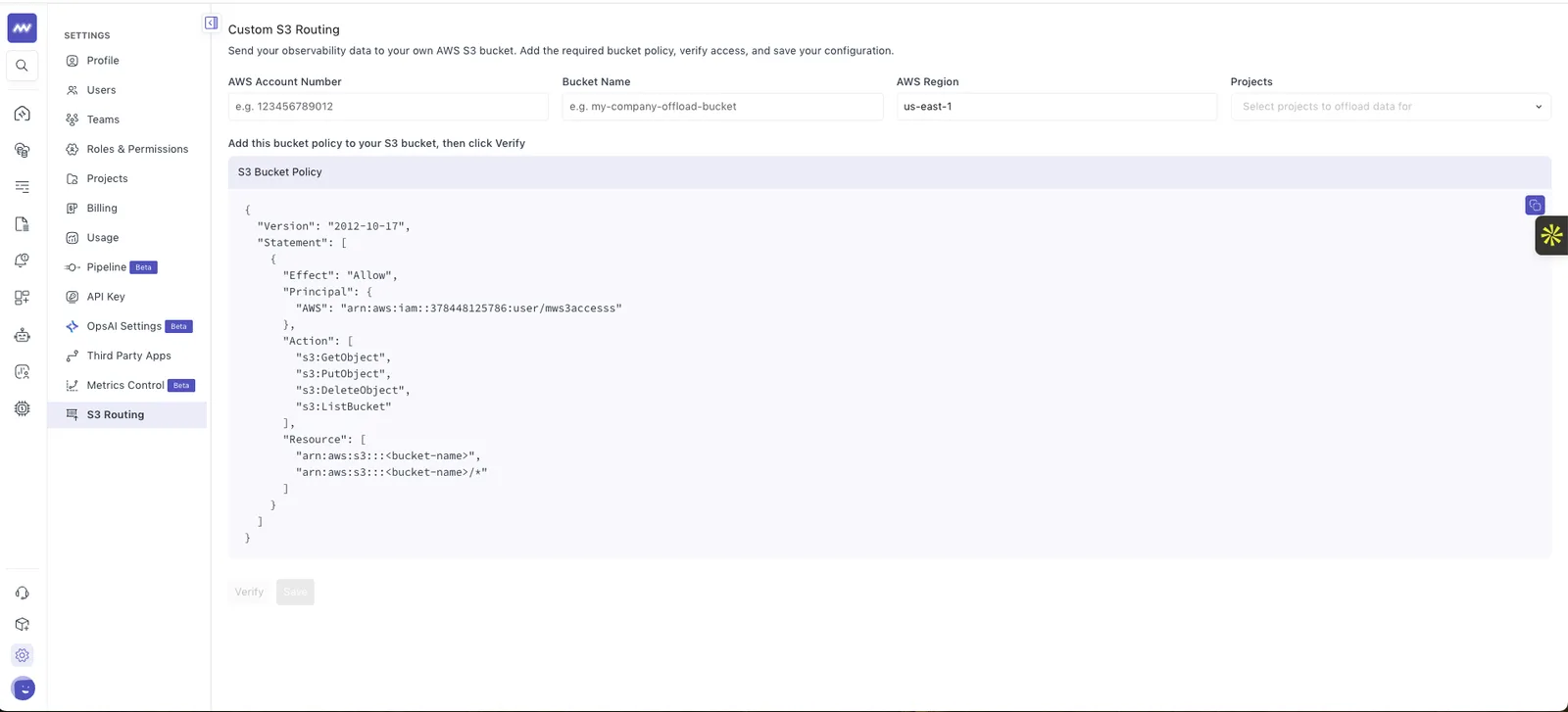
- Added support for routing metrics, logs, and traces to customer-owned AWS S3 buckets.
- Introduced a self-service S3 Routing configuration page under Settings → S3 Routing, allowing users to configure AWS Account ID, bucket name, and region.
Anomaly in Log monitoring#
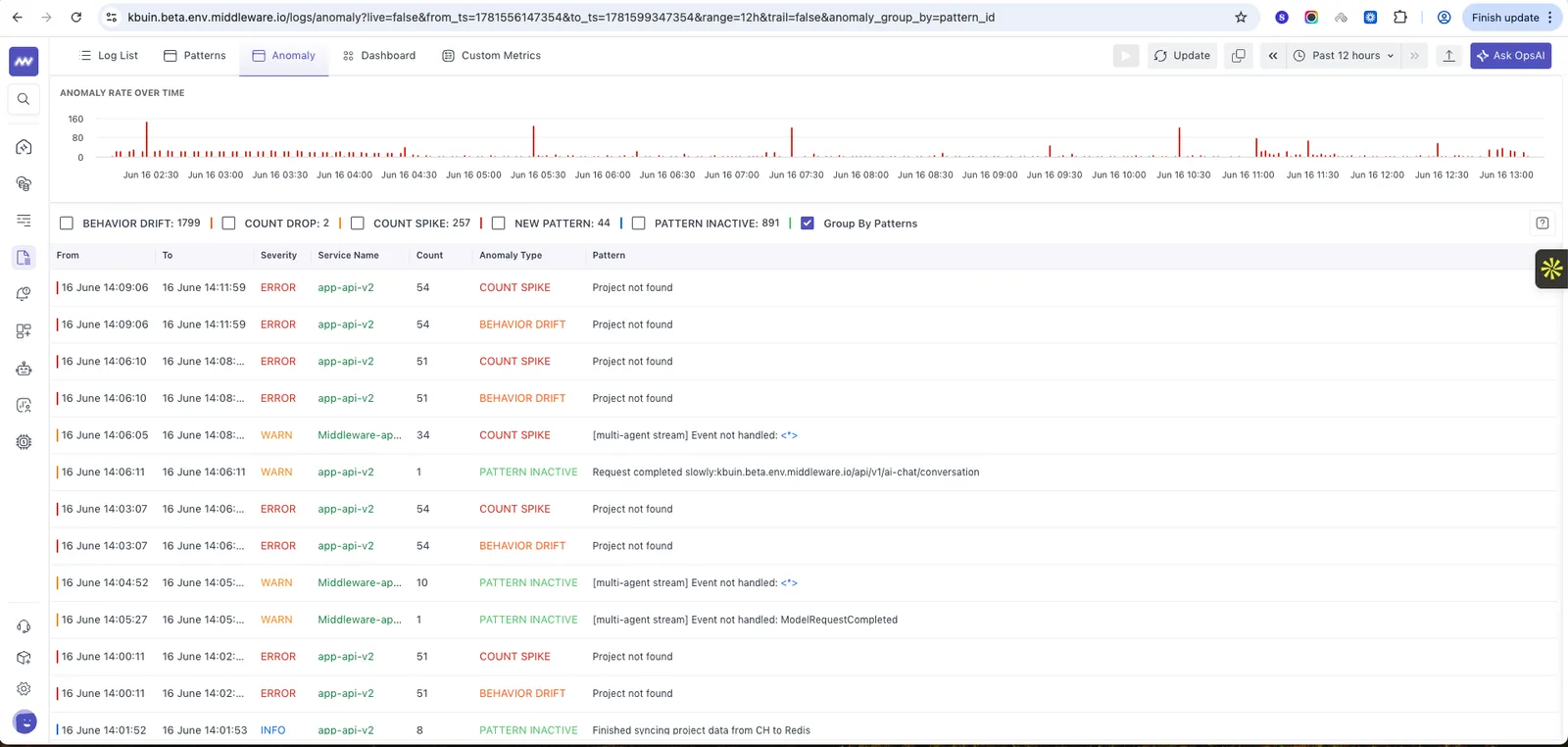
- You can see anomaly in logs by its patterns and different anomaly types such as count spike, behavior drift, pattern inactive etc.
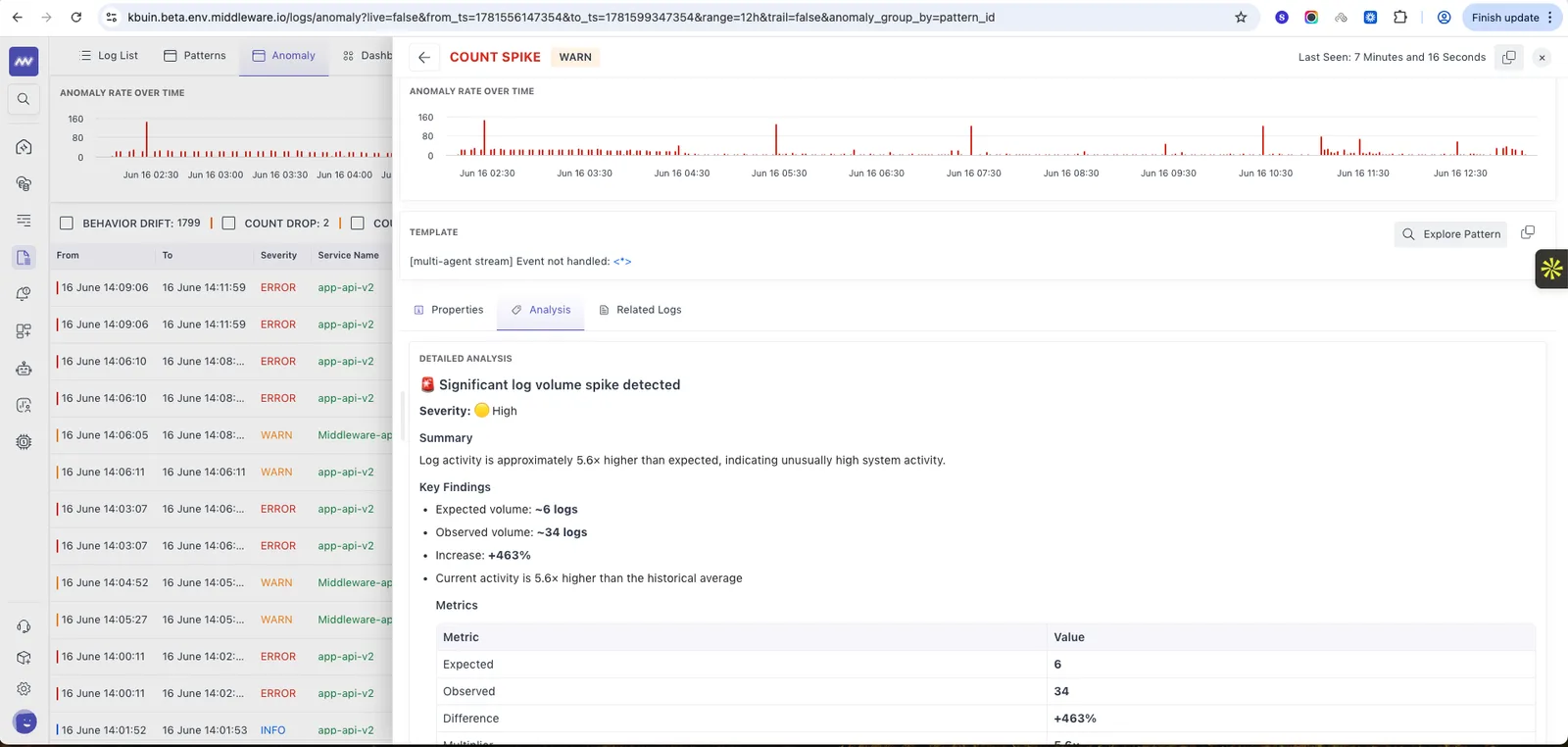
- We can see the details for each anomaly with log properties, related logs and analysis by AI.
OpsAI#
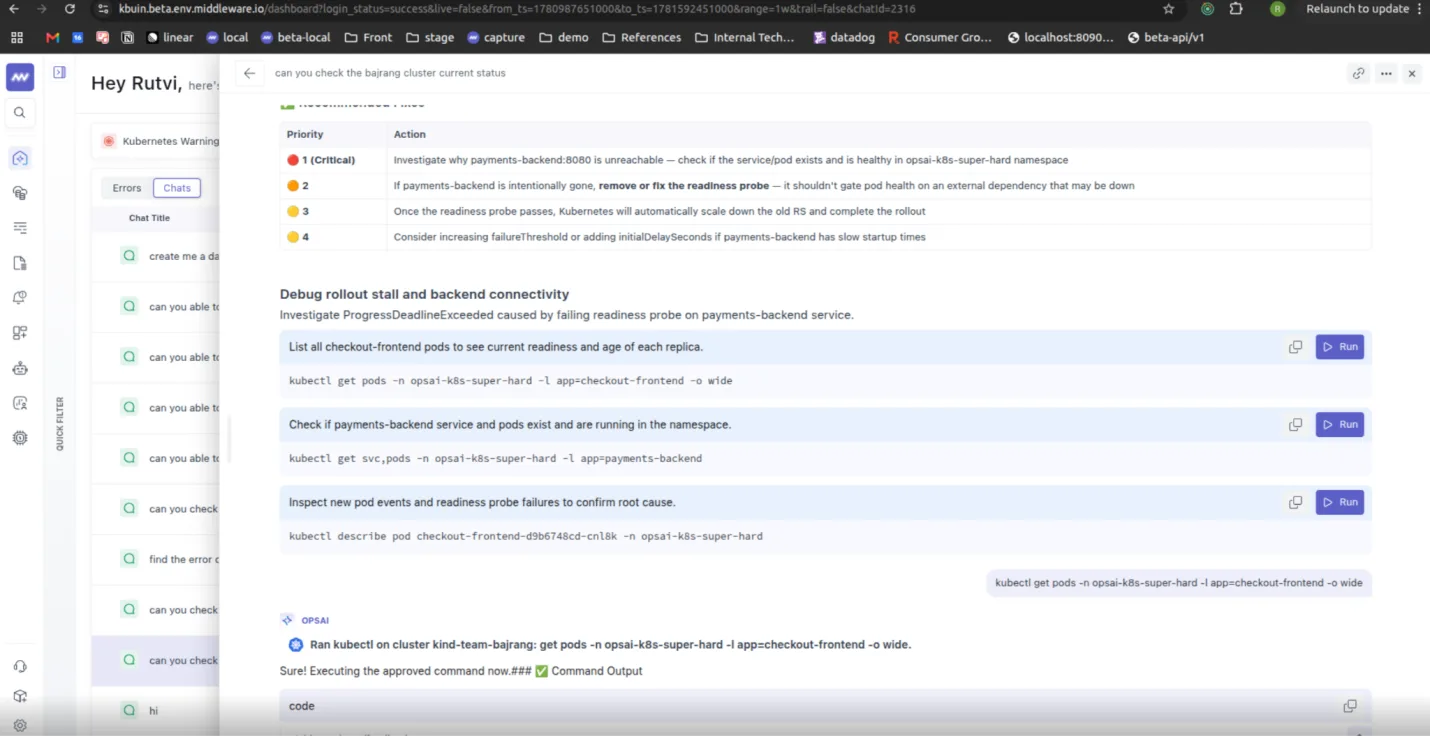
- Run Kubernetes commands within the investigation/chat directly with one click.
- Added support for dashboard creation directly from OpsAI chat. Users can describe the dashboard they need, and OpsAI will generate it and provide a dashboard link within the conversation.
- Added support for display Vercel logs and errors (Fatal) in OpsAI listing so users can directly investigate from there and generate pull request with fix.
- Added support for ask questions on synthetic tests or create synthetic tests directly from new chat.
AWS RDS Integration#
- Added support for 8 new regions for RDS (including Asia specific regions).
Improvements#
- Improved loading speed of APM and MongoDB screens when handling large volumes of data.
- Improved OpsAI list and detail page performance, resulting in faster load times for high data volume.
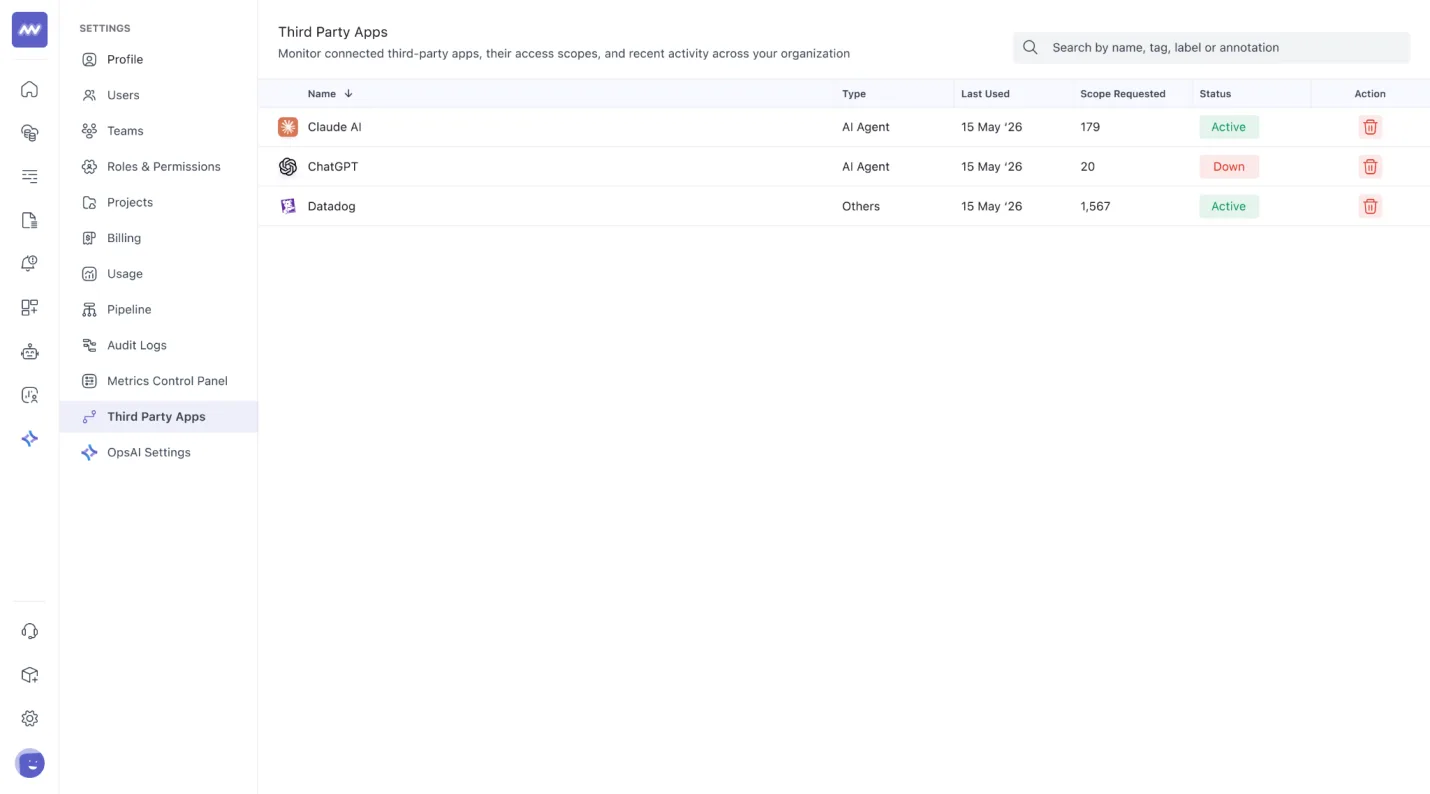
- Added an MCP Server access page, allowing users to view and revoke third-party applications that have access to their Middleware data.
Need assistance or want to learn more about Middleware? Get in touch with us via our Contact Us or join our Slack channel.
What did you think of this content?